Simplerich Theme
Informative Git Status, Anaconda Environment Info and Command Execution Time.

This wiki is automatically published from ohmyzsh/wiki. To edit this page, go to ohmyzsh/wiki, make your changes and submit a Pull Request.
Due to the massive amount of themes bundled with OMZ, new themes are not accepted. This is a list of other themes that are compatible with Oh My Zsh that live in their own separate repositories. More themes are listed in the awesome-zsh-plugins list.
You can also use Github's search to find *.zsh-theme files:
Gist zsh themes search, GitHub zsh themes search.
Check out the instructions here.
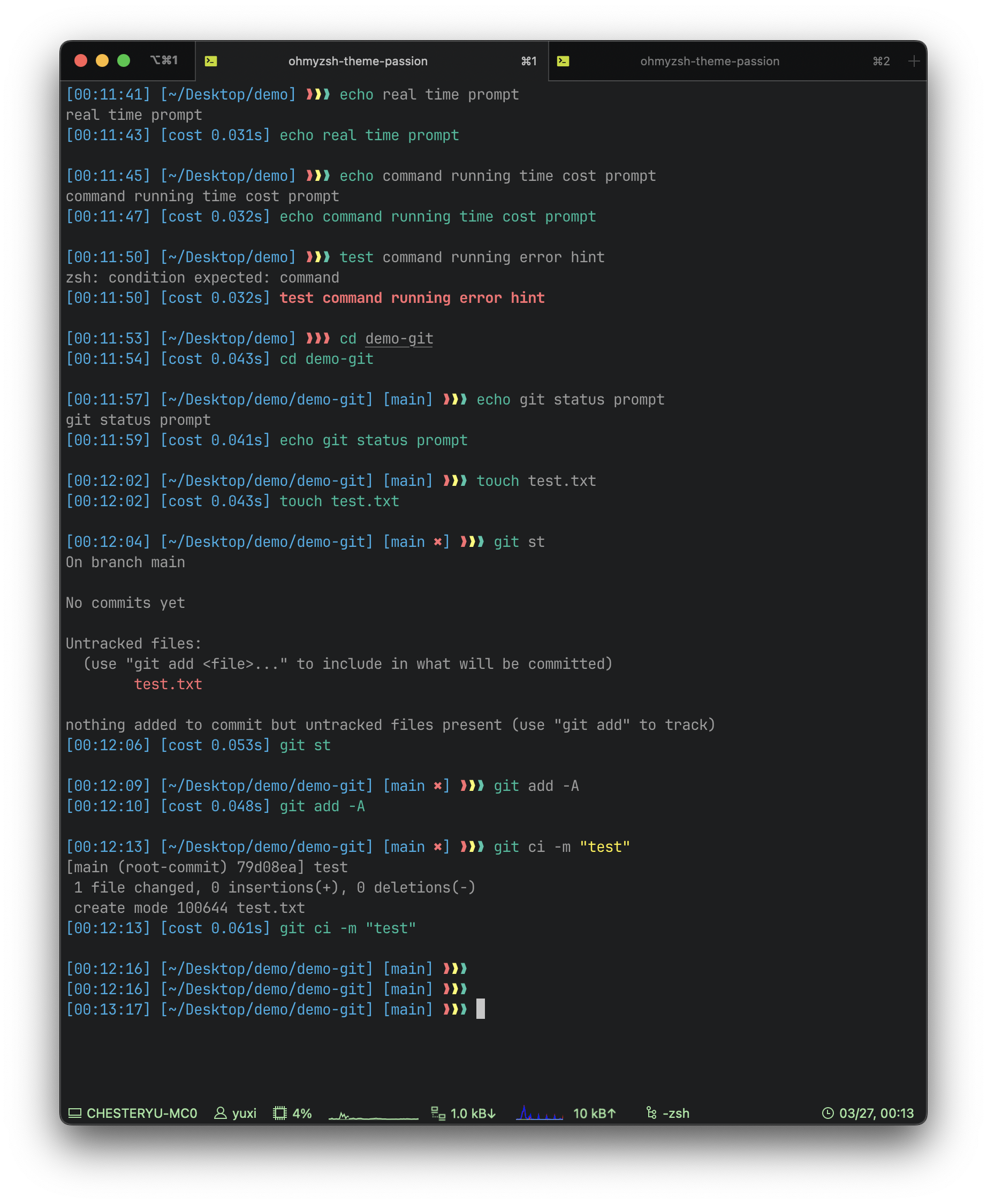
You can see the followings at once:
After command execution, you can see also:
Repo: Gitlab or Hub
Author: Migo

NOTE: theme uses alias customization to change the
lsfunction toexa, but exa is no longer maintained. So theexaalias customization needs to be manually changed or removed.
.zsh-theme according to your wifi module)See repository for source. Author: heapbytes

NOTE: the swastika in the theme has long been a symbol of good luck in some religions, before nazism co-opted it.
Features
See repository for source and installation instructions. Author: amreshpro
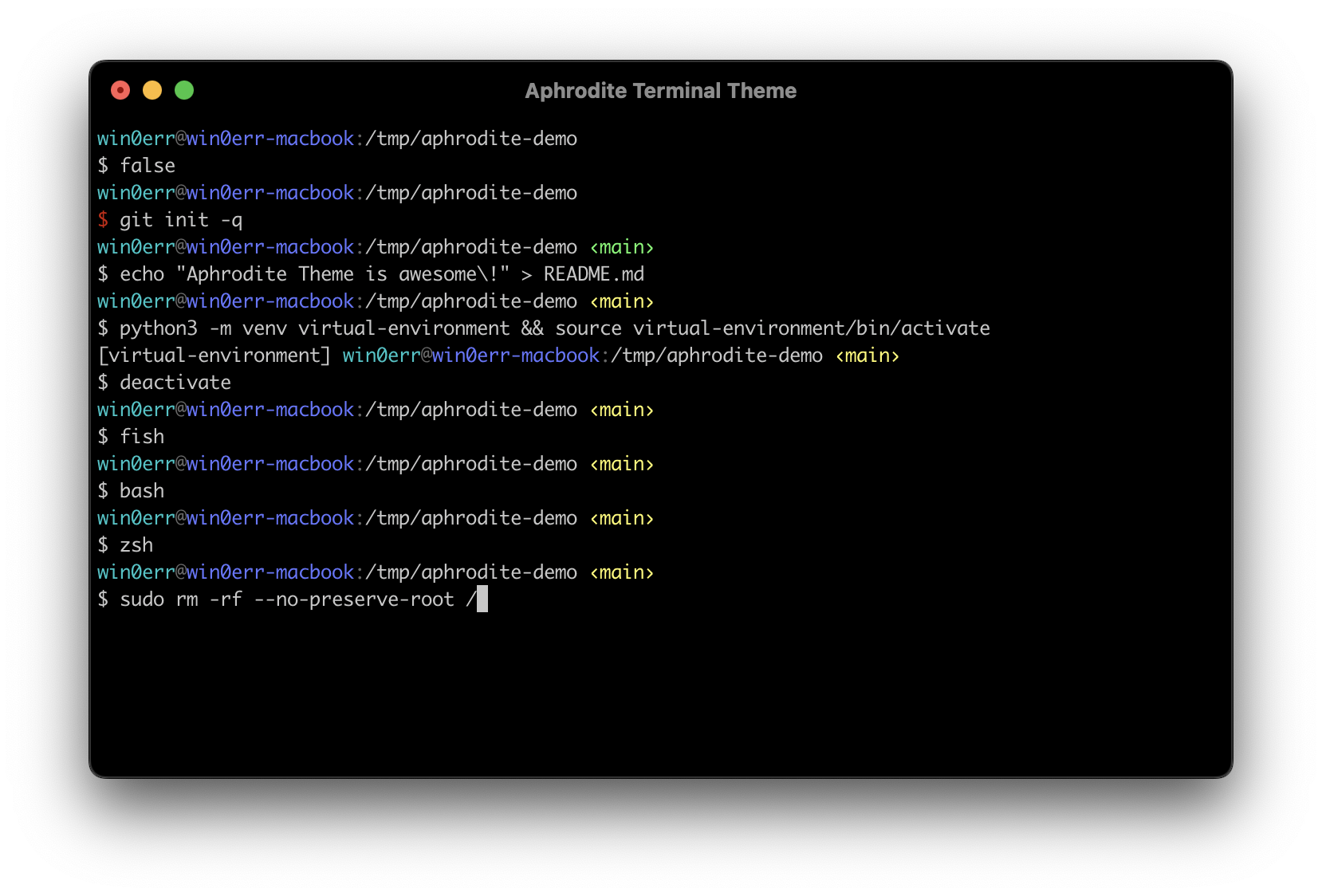
Minimalistic Aphrodite theme does not have any visual noise. Displays only the necessary information: virtual env, current user, hostname, working directory, git branch if exists. Looks great both with dark and white terminals. Also supports bash and fish.
See repository for source and installation instructions. Author: @win0err

A minimal zsh prompt






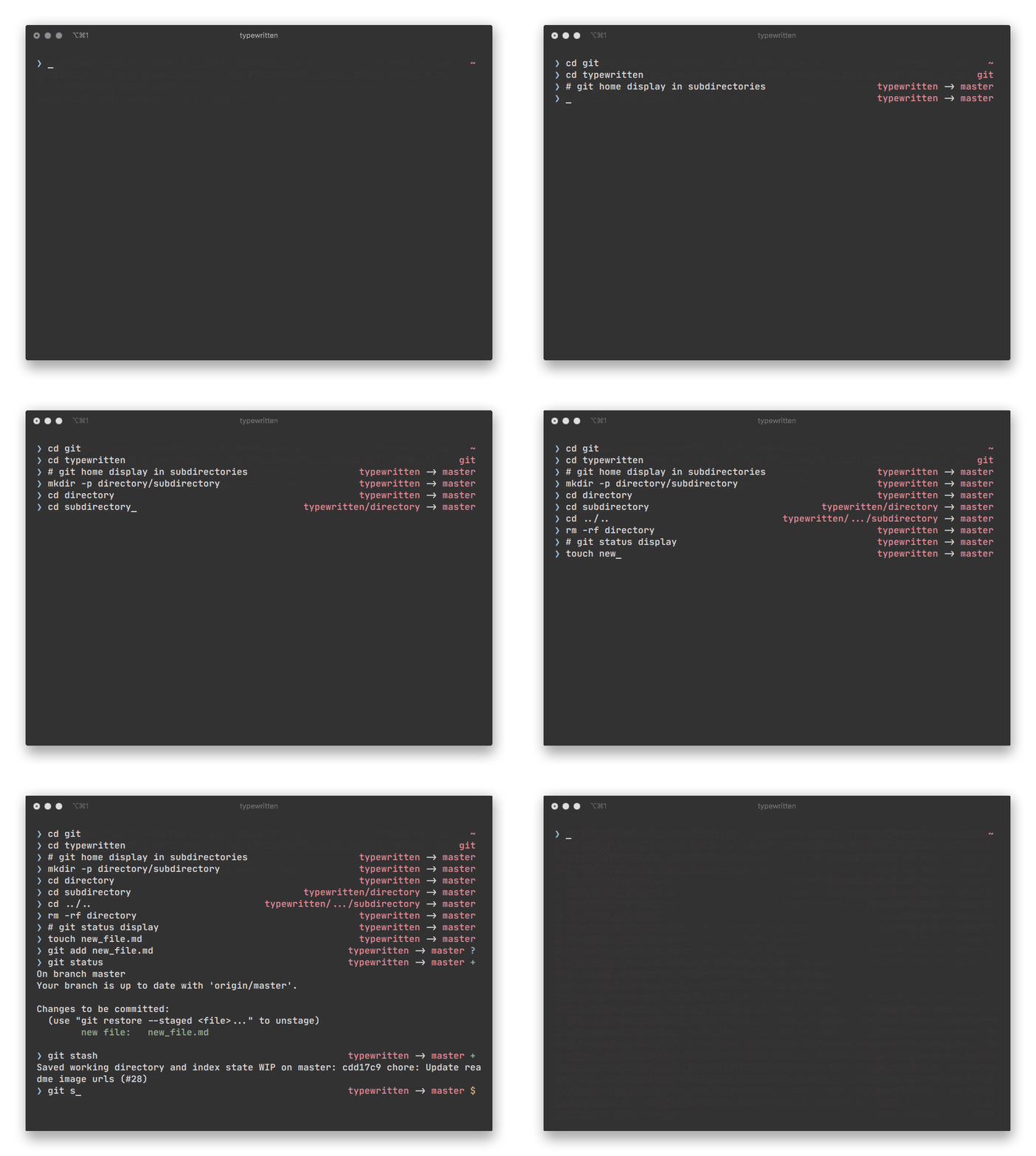
Quick start
npm install -g typewritten
# then reload zsh
Features
Repository: typewritten.zsh
Documentation: typewritten.dev
Author: @reobin
A theme with Git status info and a colored line
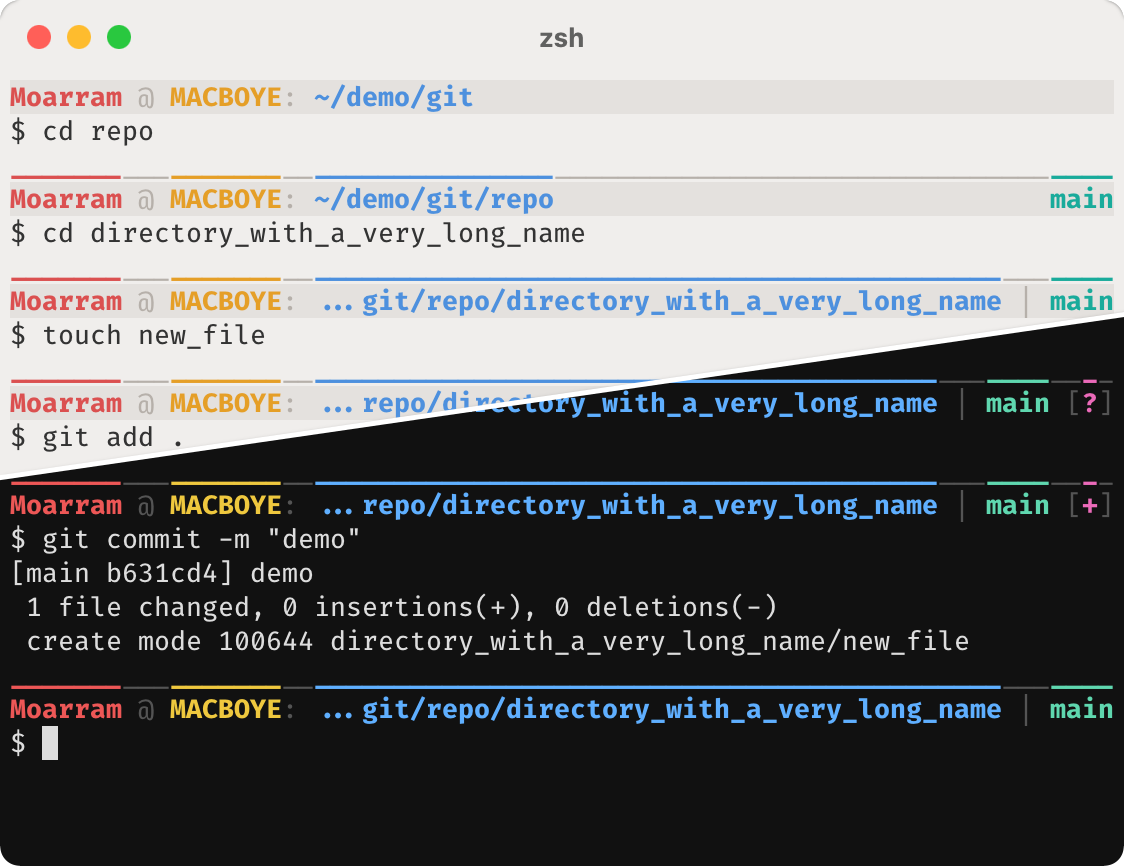
Features
Author: @Moarram

See repository for source code. Author: @sebastianpulido
The new Kali Linux console adapted to Ubuntu (and maybe any distro)!
To install it, it is as easy as running the single INSTALLER.sh file.
Install: how to install
Source: here
Author @alejandromume

This theme can show your username, your current directory + the one before, git information (branch and unstaged/uncommited changes), and the current time. Pink dot means unstaged, purple dot means uncommitted.
emoji theme for Oh My Zsh. simplified robbyrussell and replaced git prompt symbol with emoji for better clarity. Works fine on Macs.
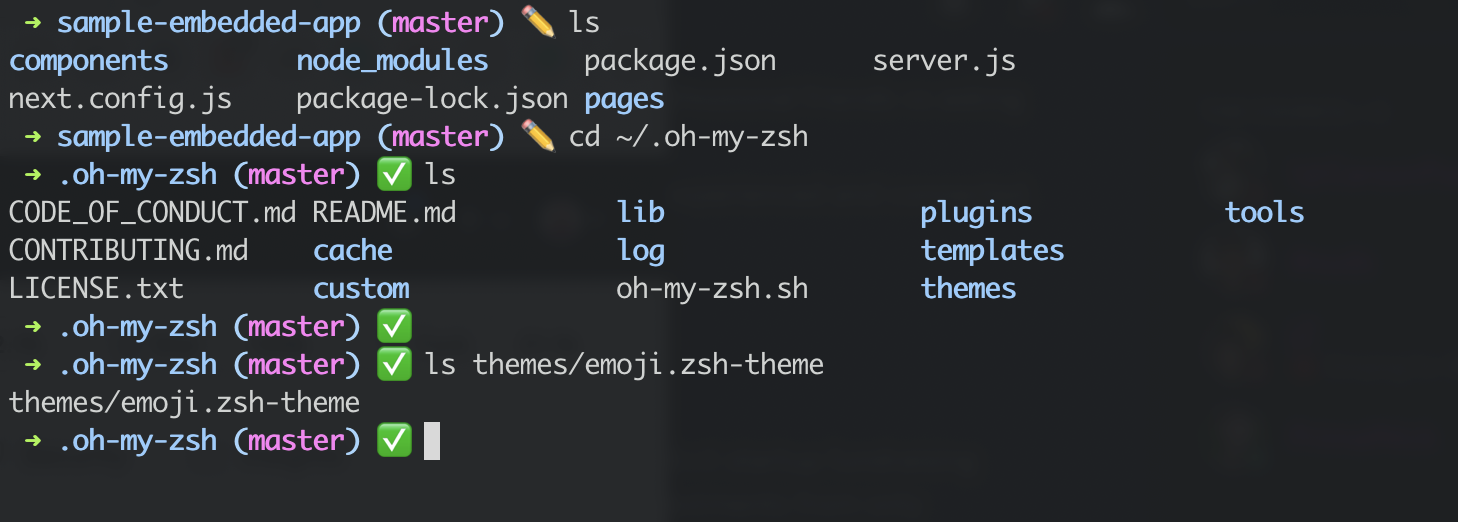
Copy emoji.zsh-theme into your ~/.oh-my-zsh/themes/ directory
Then change current theme to emoji ZSH_THEME=emoji in your ~/.zshrc.
Activate a new theme with $ source ~/.zshrc.
➜ current_dir (git_branch) <emoji indicator>
✏️ Git prompt is dirty (uncommitted files)
✅ Git prompt is clean (committed)
source: repo
author: @masaakifuruki

Minimalistic zsh theme designed to provide all the necessary settings for a comfortable terminal experience
PS2 and PS3).LS_COLORS for both BSD and GNU systems to enhance the display of directory listings.less and man pages.See repository for source.
author: @egorlem


The minimal MacOS terminal brought to ZSH
Ubuntu 20.04 and Windows 10 WSL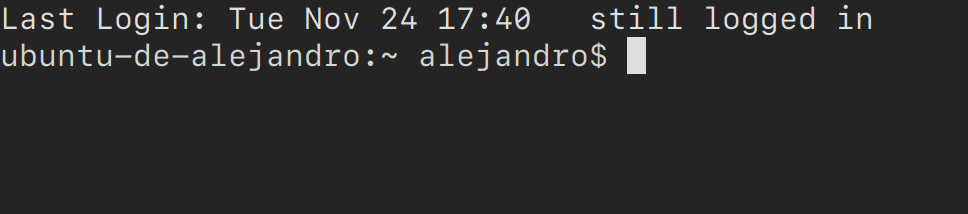
Features
Code
Credits

If long prompts annoy you, this theme is for you! It does away with the long path after the username, and retains only the basename of the current working directory in the prompt.
Features:
Source: Repository (also contains other themes you might be interested in)
Author: @nikhilkmr300

Features:
Source: Repository (also contains other themes you might be interested in)
Author: @nikhilkmr300

Features:
Source: Repository (also contains other themes you might be interested in)
Author: @nikhilkmr300

Powerline looking zsh theme with rvm prompt, git status and branch, current time, user, hostname, pwd, exit status, root and background job status.
Influenced heavily by agnoster's theme and jeremyFreeAgent's theme
Author: @consolemaverick
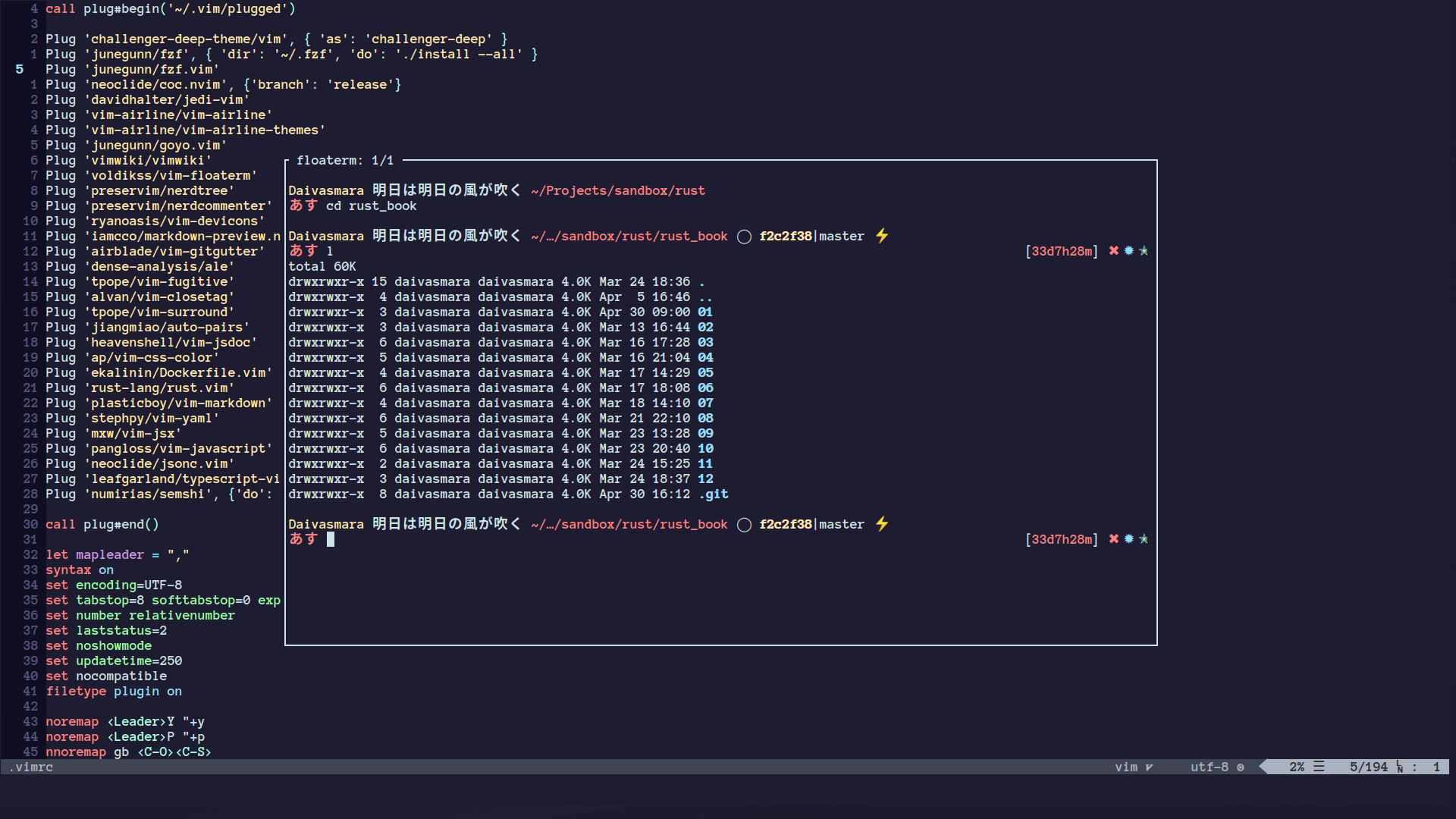
Chill zsh-theme, personal take on smt
Source: daivasmara.zsh-theme
Author: @Daivasmara
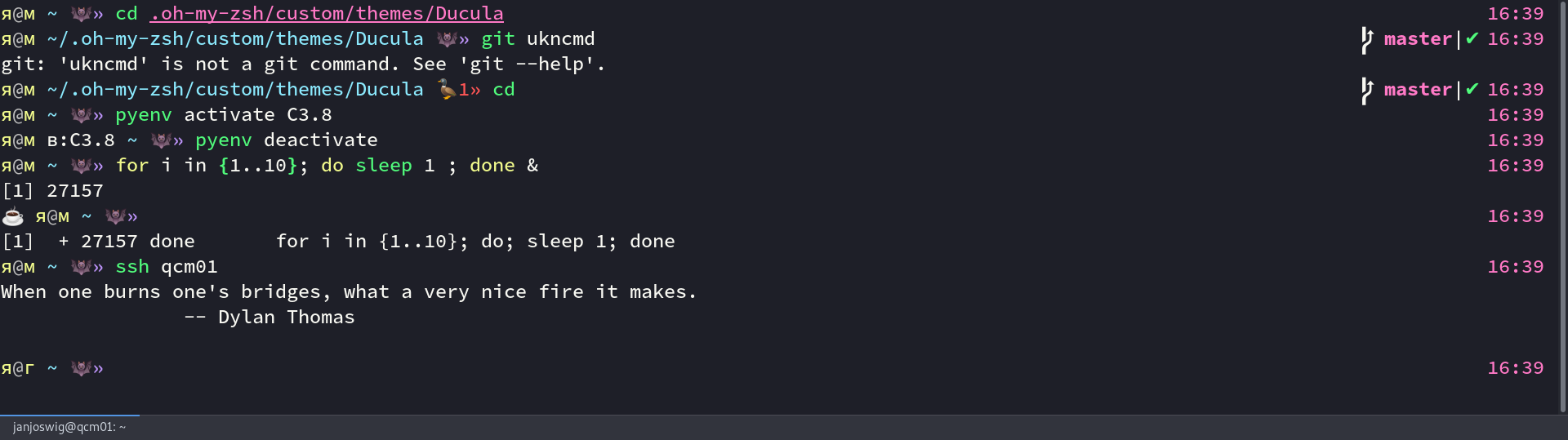
git_super_status from the git-prompt pluginSee repository for source. Author: @janjoswig
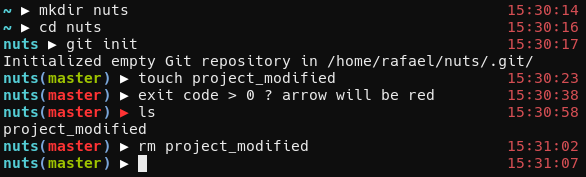
Branch name change color if code is modified. Arrow change color if exit code is not zero.
See github.com/rafaelsq/nuts.zsh-theme for source. Author: @rafaelsq

See gist for source.
Author: @mgimenez

See repo for source.
Author: Intika

See repo for source.
Author: Phil Fernandez (philFernandez)
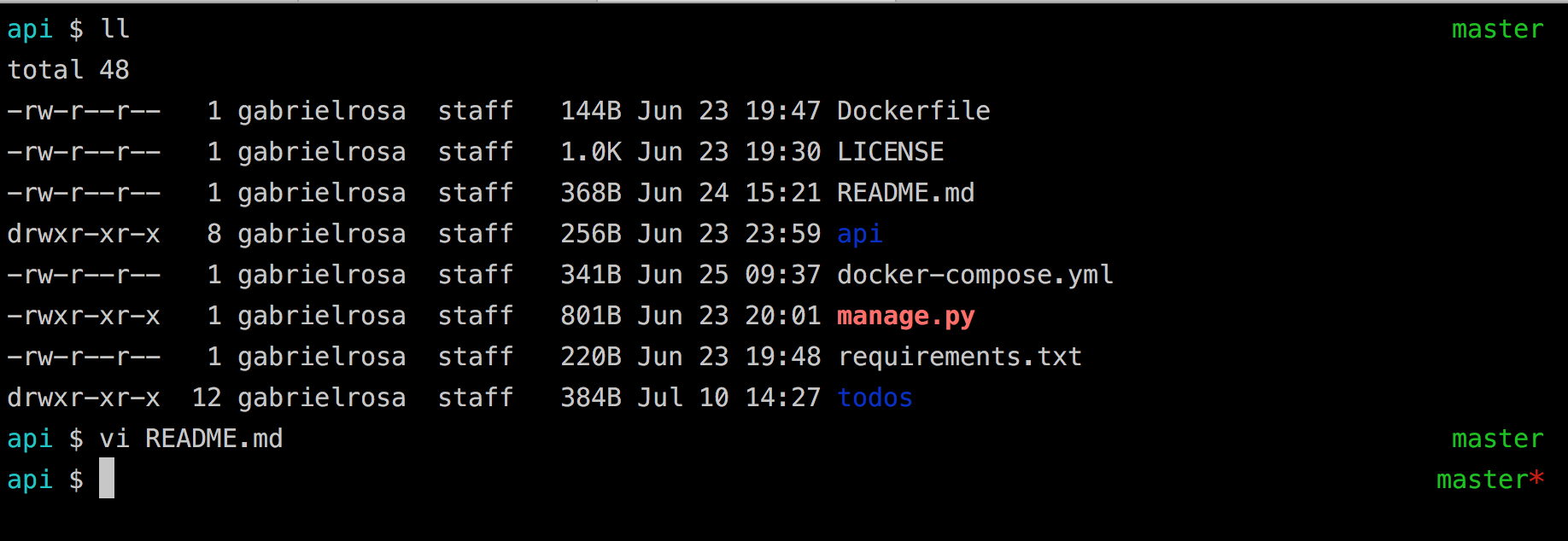

Simple theme that cleanly shows: username@host:pwd $
See repository for source. Author: @koreymacdougall

See repository for source.
Author: @akinjide

See repository for source.
Author: @abaykan
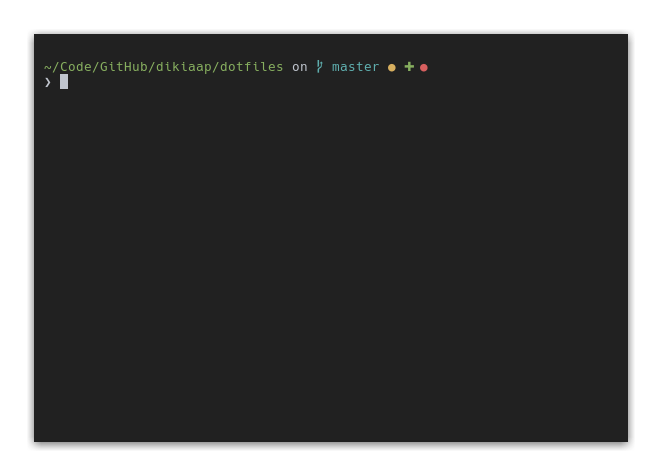
See repository for source.
Author: @dikiaap
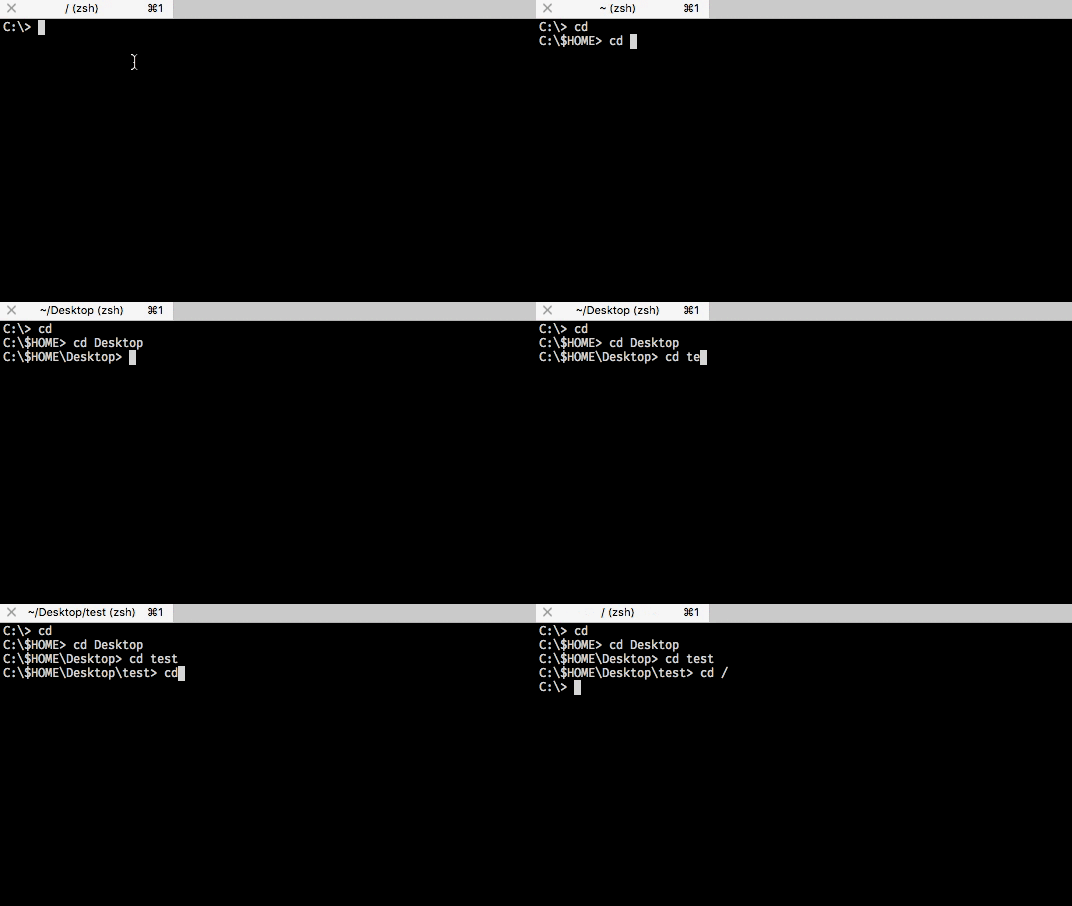
See repository for source.
Author: @juliavallina
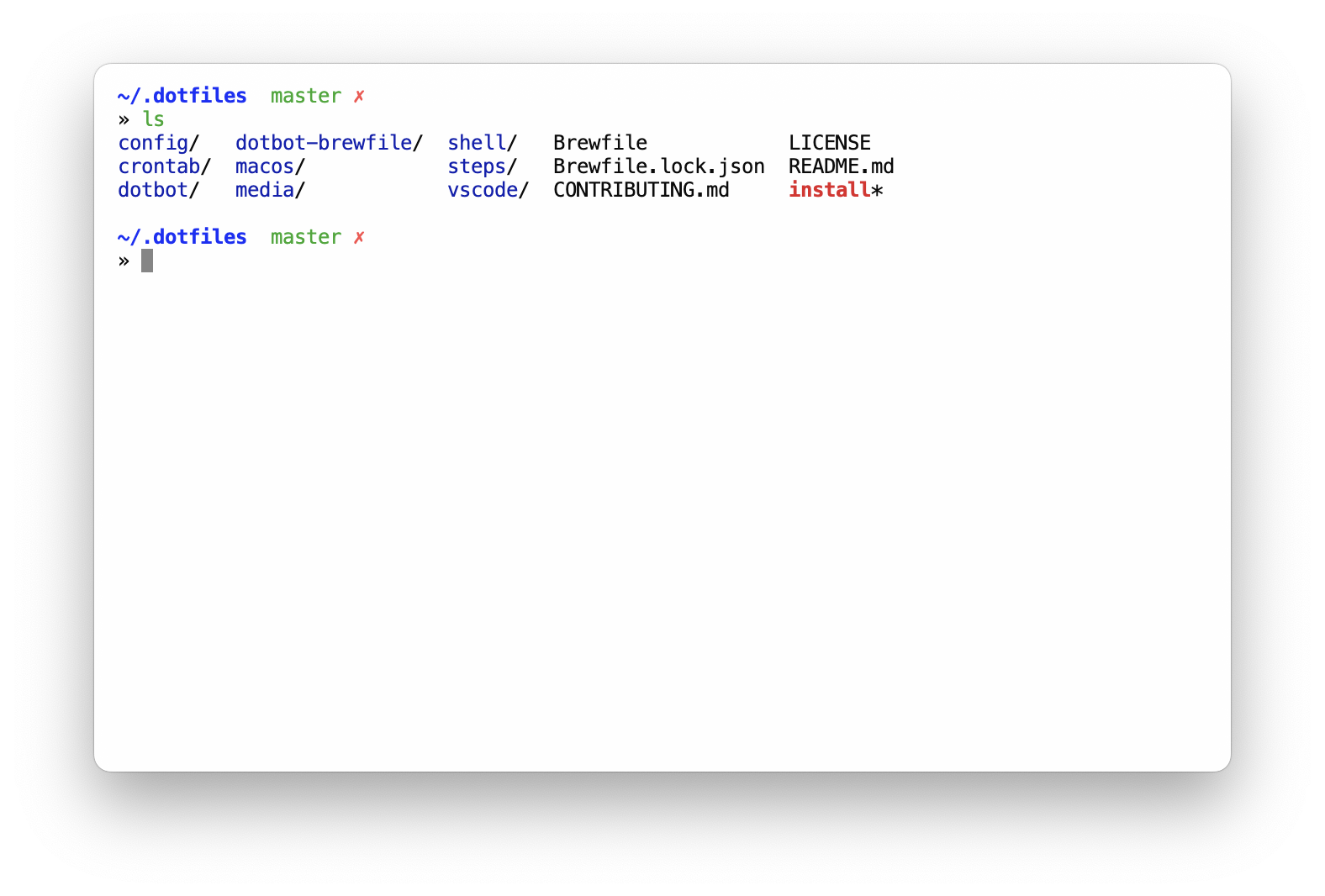 Github: https://github.com/sobolevn/sobole-zsh-theme
author: @sobolevn

author: @xfanwu
See Gist for source.
author: @audy, maintainer: @oshybystyi
A Powerline theme for ZSH that was written from scratch to address some of the speed issues in other feature-heavy themes. It comes with a great default setup, but is also highly configurable and can be heavily customized with built-in options. It also offers a large array of useful segments that you can add to your prompt, covering everything from Ruby versions to your AWS instance.
See Repo for source & documentation.
author: @bhilburn
Powerlevel10k is a backward-compatible reimplementation of the popular Powerlevel9k theme (see above) with 10-100 times better performance. When given the same configuration options it will generate the same prompt.
Powerlevel10k comes with an interactive configuration wizard that offers a wide range of prompt styles.
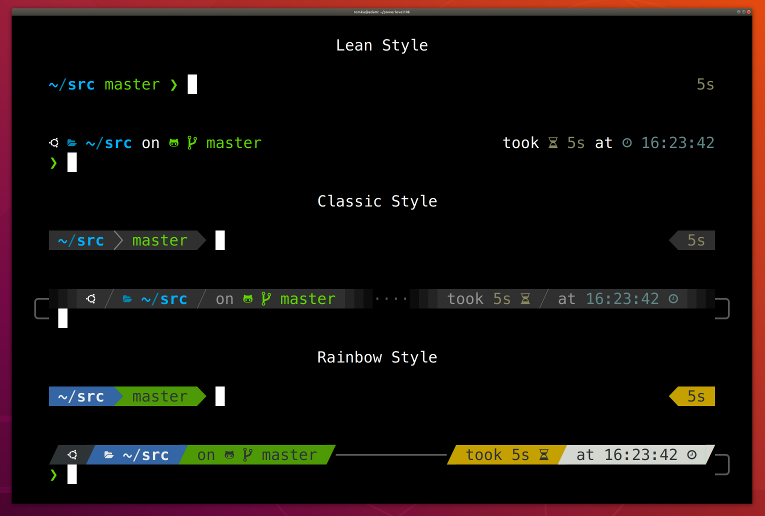
See repo for documentation.
author: @romkatv
A lightweight, configurable & customizable ZSH theme.

Features:
~/.quantumrc or the qtm CLIname, short, fullvenv, user, host, time, and exit_code segmentsinstall.shRepo: https://github.com/calebephrem/quantum-zsh
Author: @calebephrem
Bullet Train is a Oh My Zsh shell theme based on the Powerline Vim plugin. It aims for simplicity, showing information only when it's relevant.
It currently shows:
See Repo for source
author: @caiogondim
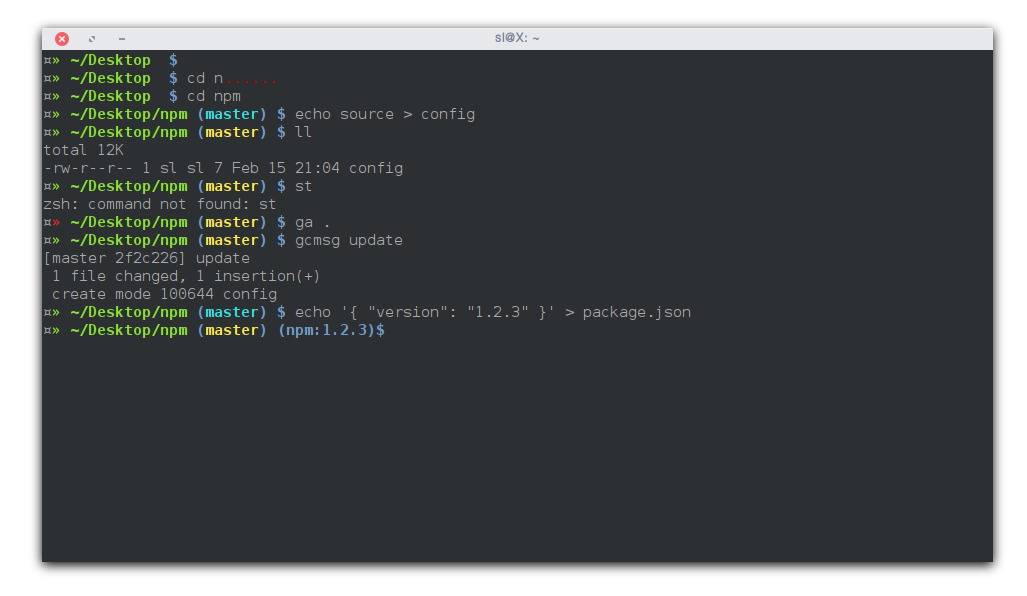
See repository for source.
Additional setup:
package.json files
When in a git repo, it shows the location from the git's root folder.
When not in a git repo, it shows from home, ~.
See my dotfiles repo for source.
author: shashankmehta/@leostatic
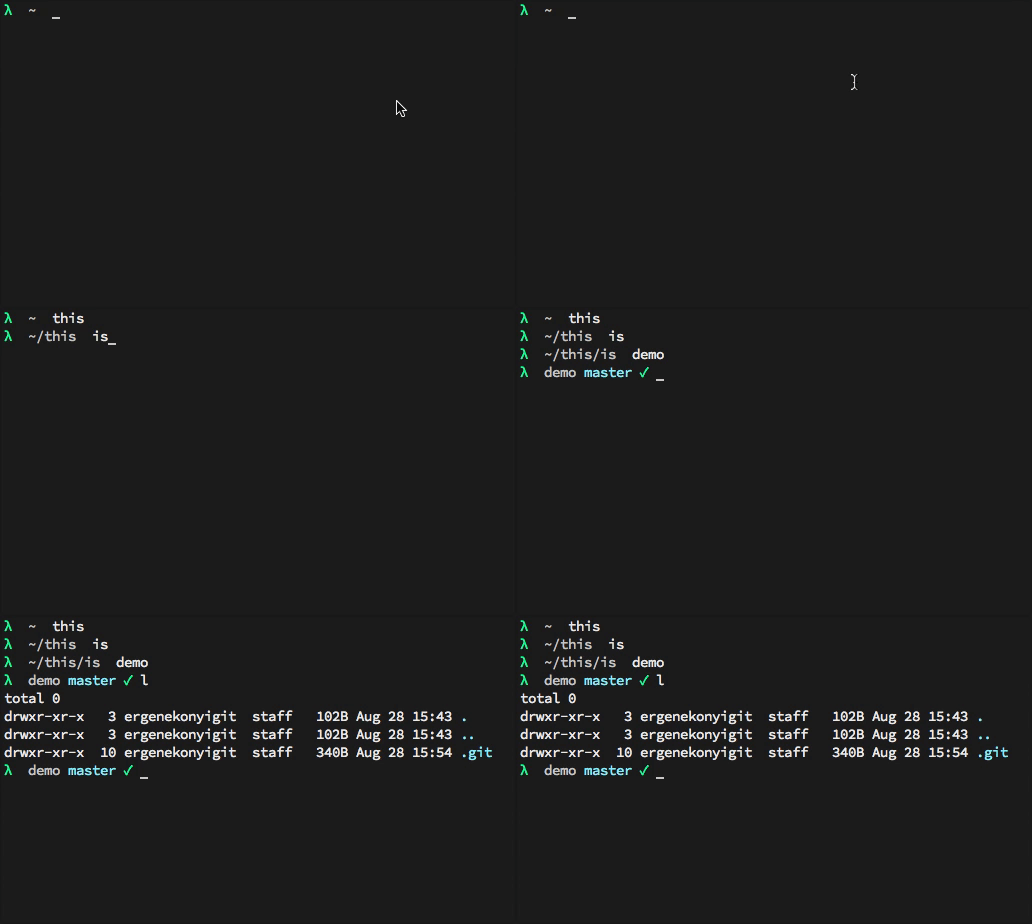
Fork of gitster theme
source: lambda-gitster
author: ergenekonyigit/@ergenekonyigit
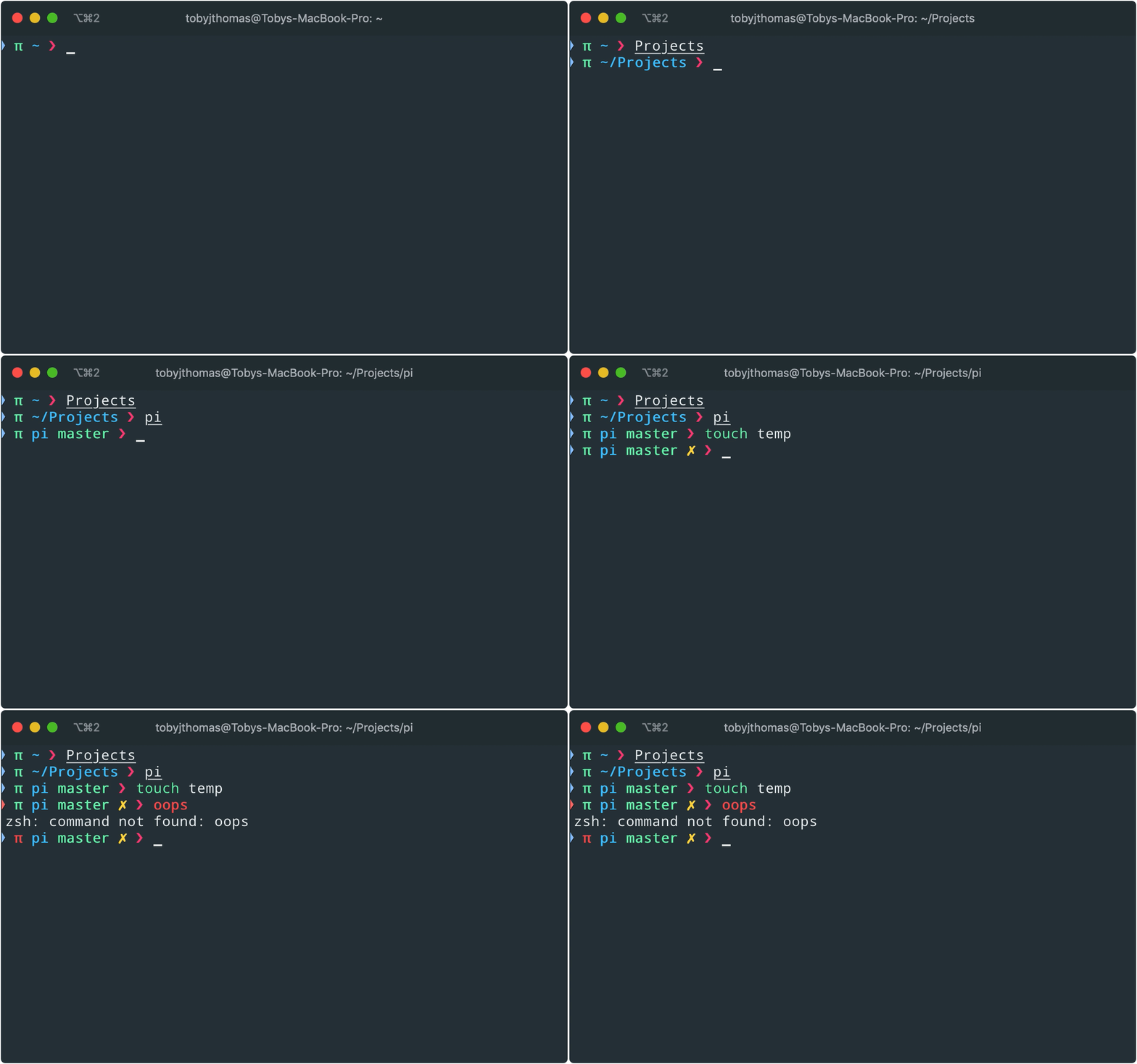
Version of gitster and lambda-gitster.
See repository for source.
author: tobyjamesthomas

Based on Gitster theme with a few improvements.
See repo for source.
Author: @fjpalacios


It currently shows:
~/Desktop Working directorywhere you type your cmds
✹git:master color : Red unstaged commitgit:master color: White committed files○ shows if current directory is a git folder || git branchSee repository for source.
Author: @akinjide

See Repo for source

This theme allow to see if vim is running on background when using the ':sh' command.
See Gist for source.
author: Schminitz/@Schminitz

author: @tylerreckart
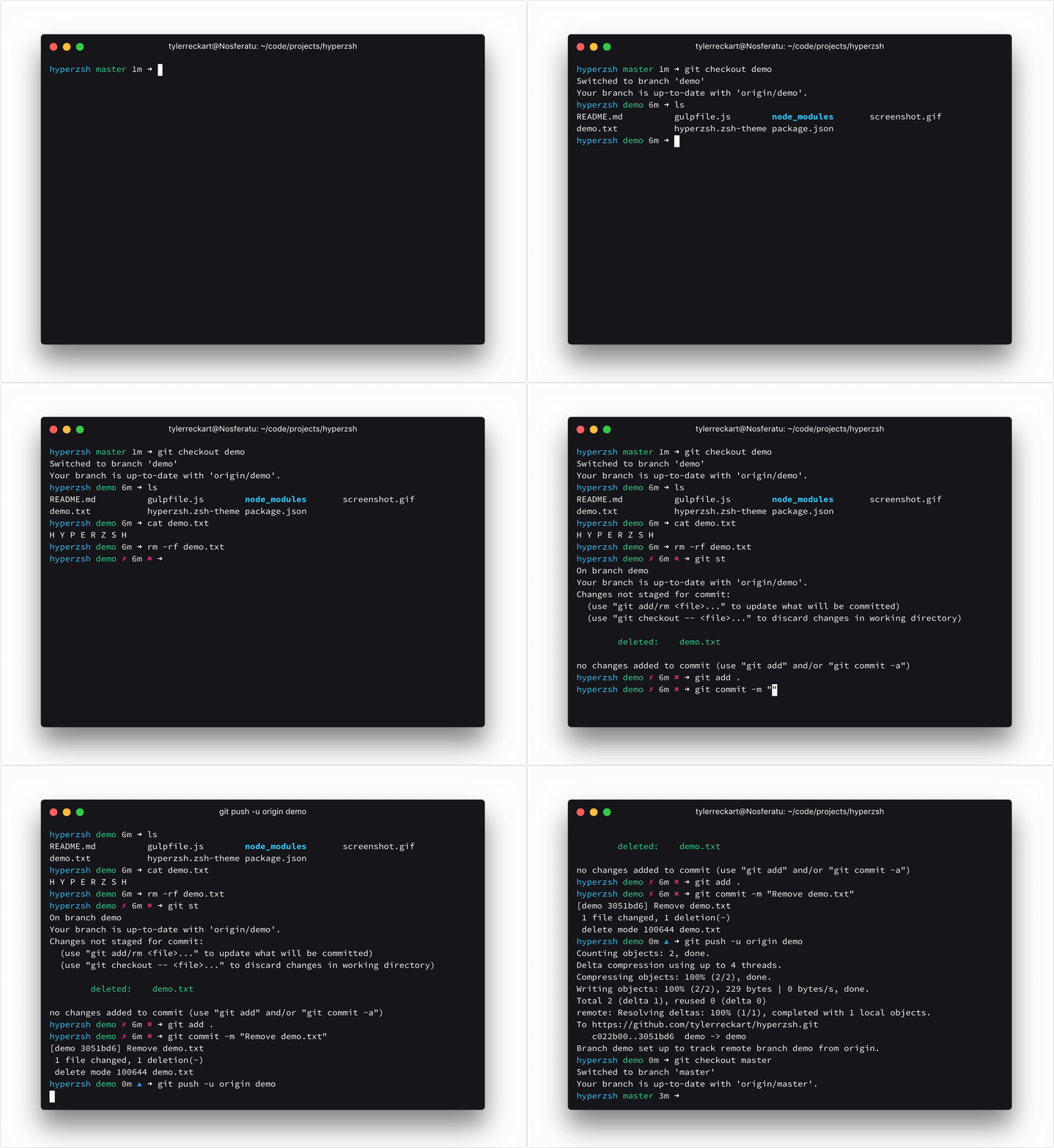
See hyperzsh for source.
author: @tylerreckart

source: here author: @willmendesneto
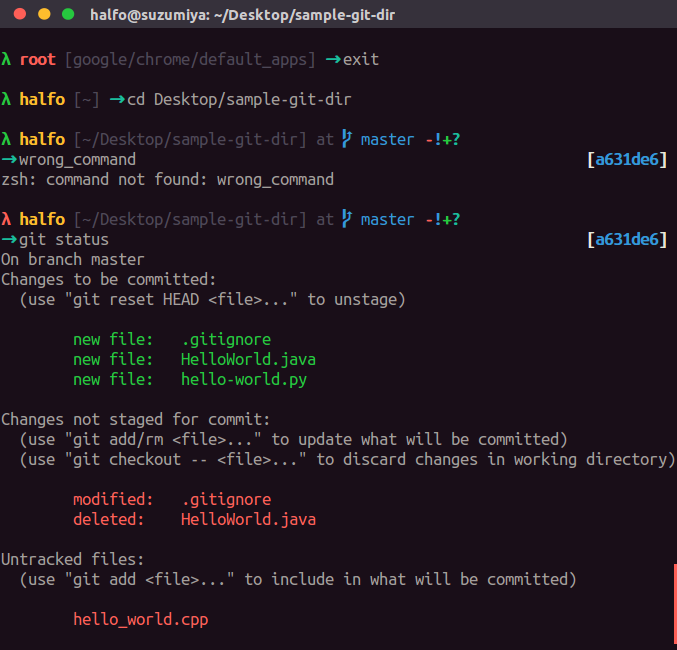
author: @halfo

source: here author: @hedgehog1029
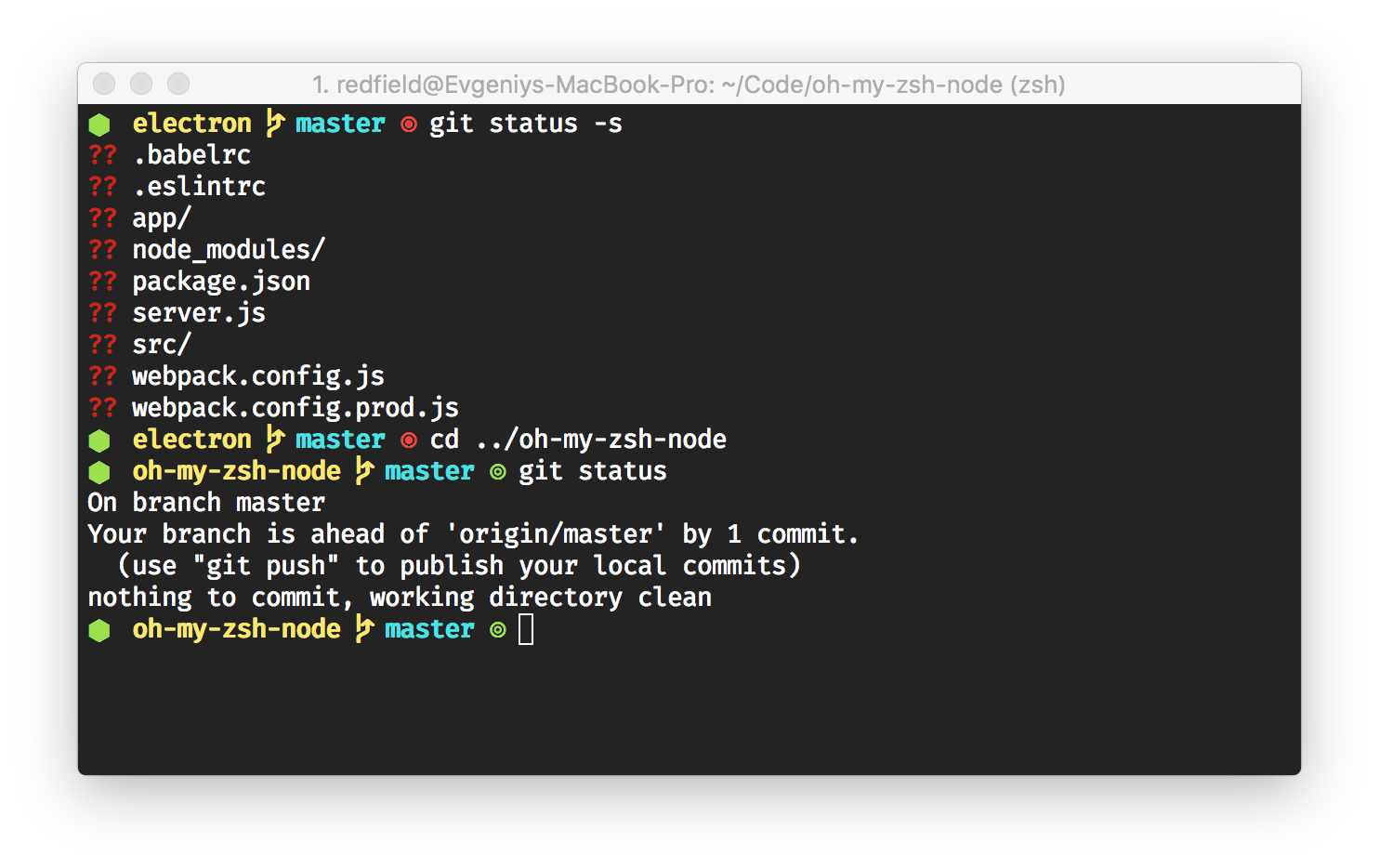
source: here author: @skuridin
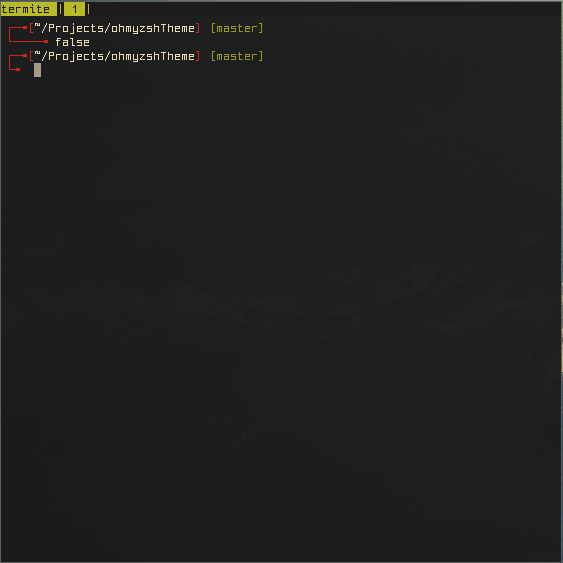
source: here author: @yarisgutierrez
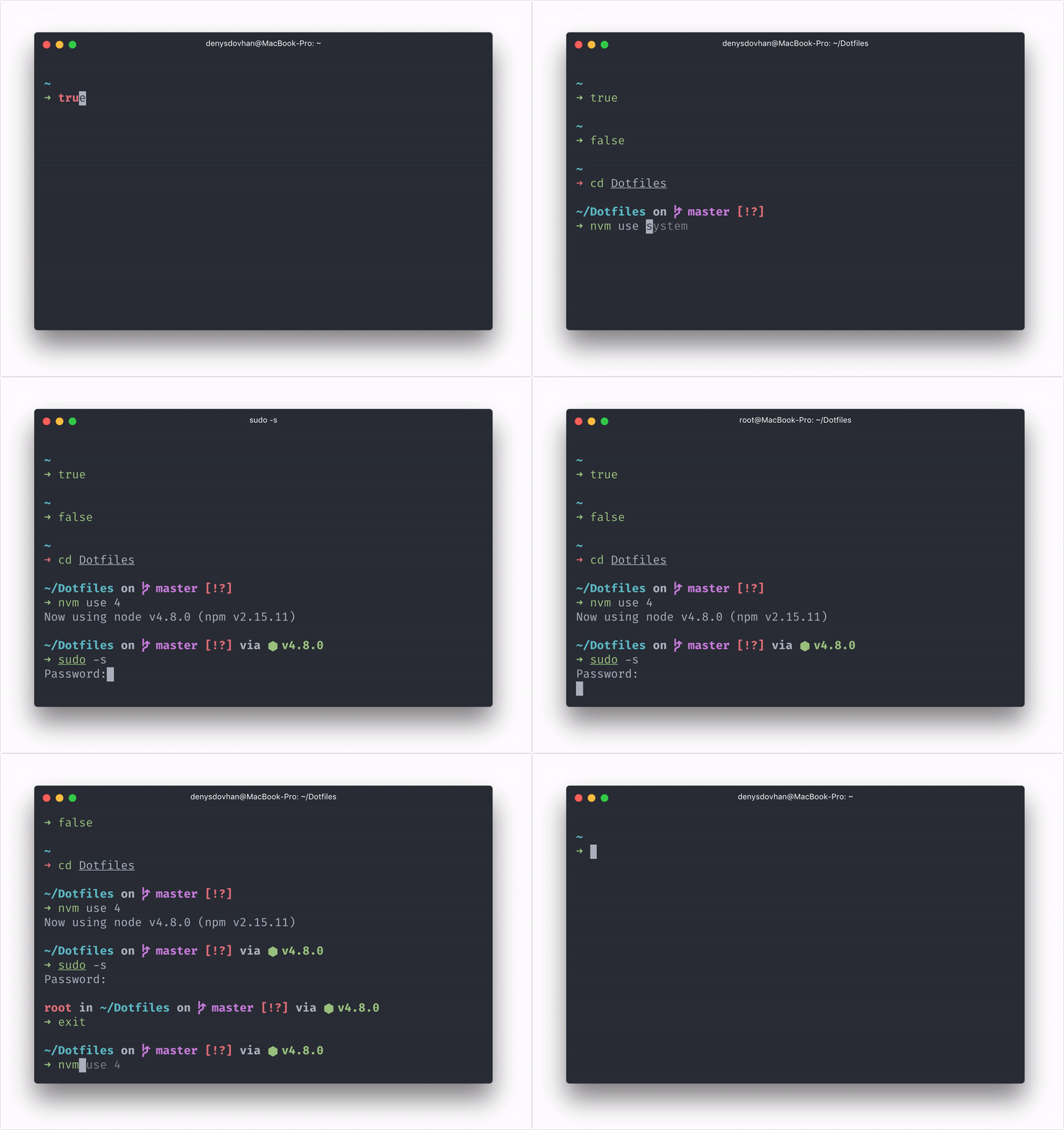
Spaceship is a minimalistic, powerful and extremely customizable Zsh prompt. It combines everything you may need for convenient work, without unnecessary complications, like a real spaceship.
Currently it shows:
? — untracked changes;+ — uncommitted changes in the index;! — unstaged changes;» — renamed files;✘ — deleted files;$ — stashed changes;= — unmerged changes;⇡ — ahead of remote branch;⇣ — behind of remote branch;⇕ — diverged chages.? — untracked changes;+ — uncommitted changes in the index;! — unstaged changes;✘ — deleted files;✦).⬢).💎).💧).🐦).🛠).🐹).🐘).𝗥).λ).ஃ).🐳).☁️) (Using named profiles).🅒).🐍)..NET).🐹).☸️).📦).⇡ - charging;⇣ - discharging;• - fully charged.source: spaceship-prompt/spaceship-prompt docs: spaceship-prompt.sh author: @denysdovhan

Currently it shows:
✔ —— Clean branch✘ —— Dirty branch+ —— Added files- —— Deleted files* —— Modified files> —— Renamed files= —— Unmerged changes? —— Untracked changessource: here
author: @skylerlee
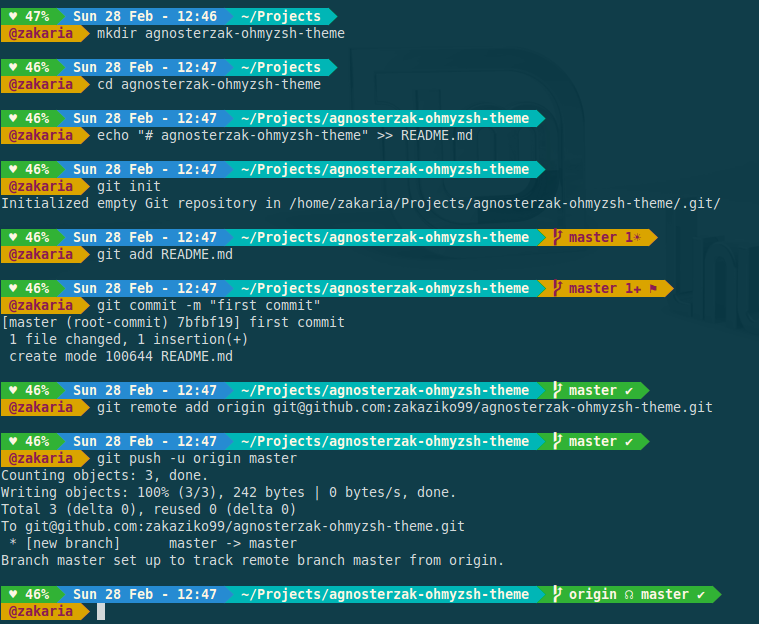
AgnosterZak is a Oh My Zsh shell theme based on the Powerline Vim plugin & Agnoster Theme.
It currently shows:
See Repo for source
author: @zakaziko99
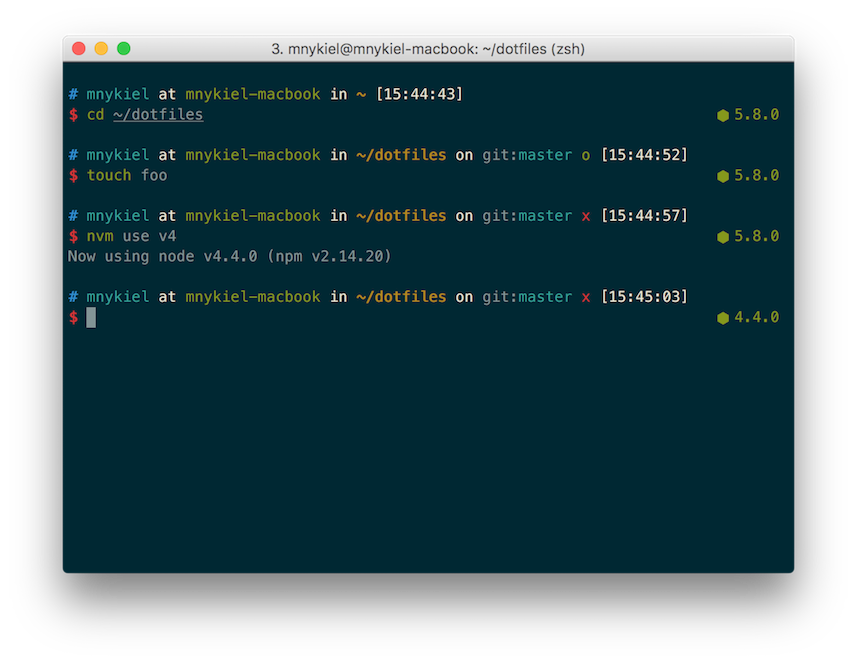
Nodeys is a theme based on fantastic ys theme, with added NodeJS version (from NVM plugin).
source: Repo for source
author: @marszall87

Ciacho is theme based on agnoster.
See Repo for source.
author: @Ciacho
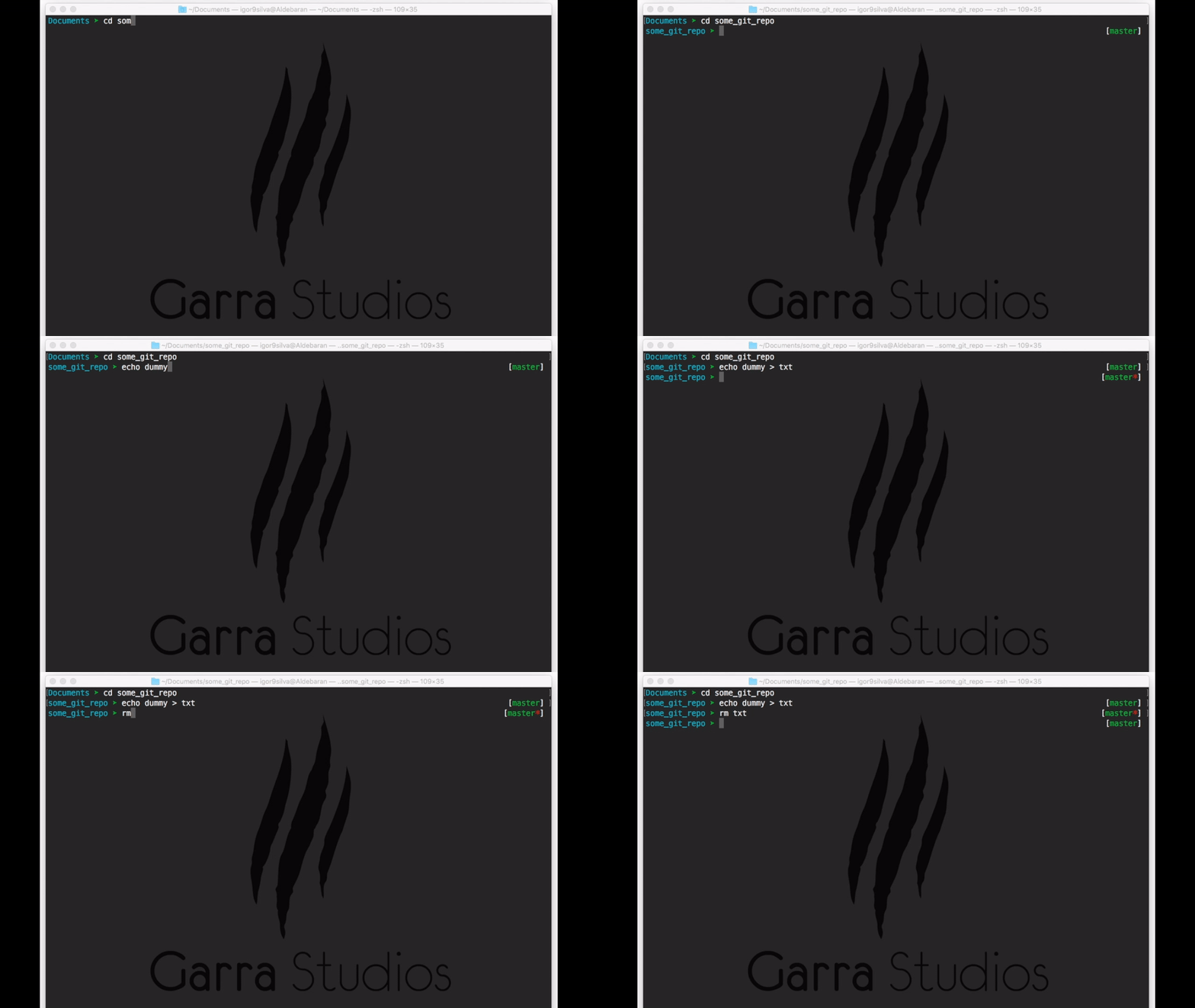
* if has uncommited changes)See Repo for source.
author: @igor9silva
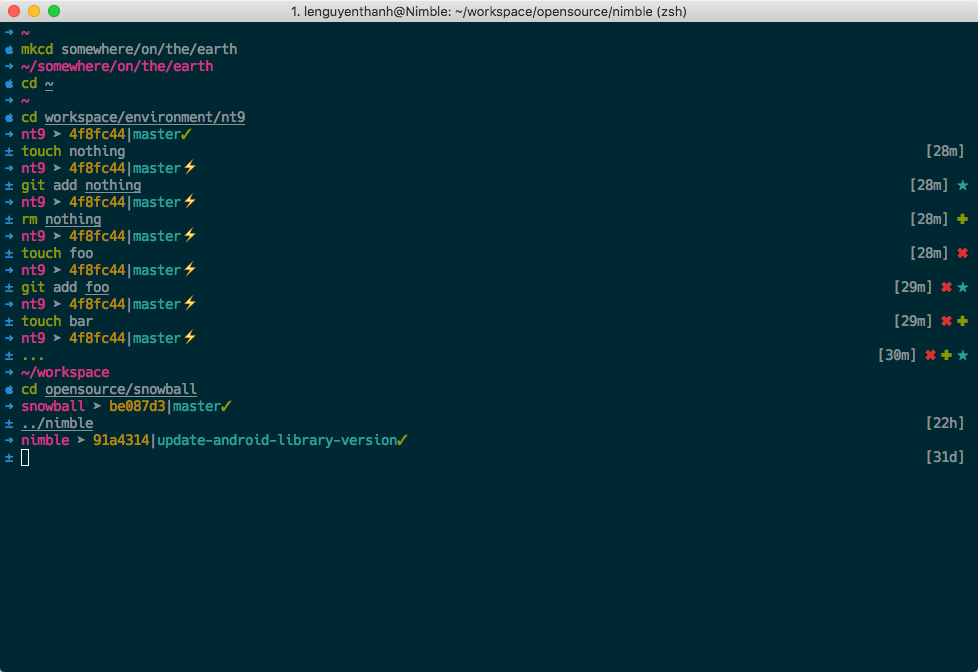
A clean, distraction free and git focused development theme.
~See Repo for source.
author: @lenguyenthanh

pretty face, feel more jovial with this theme.
It currently shows:
See Repo for source.
author: @zthxxx
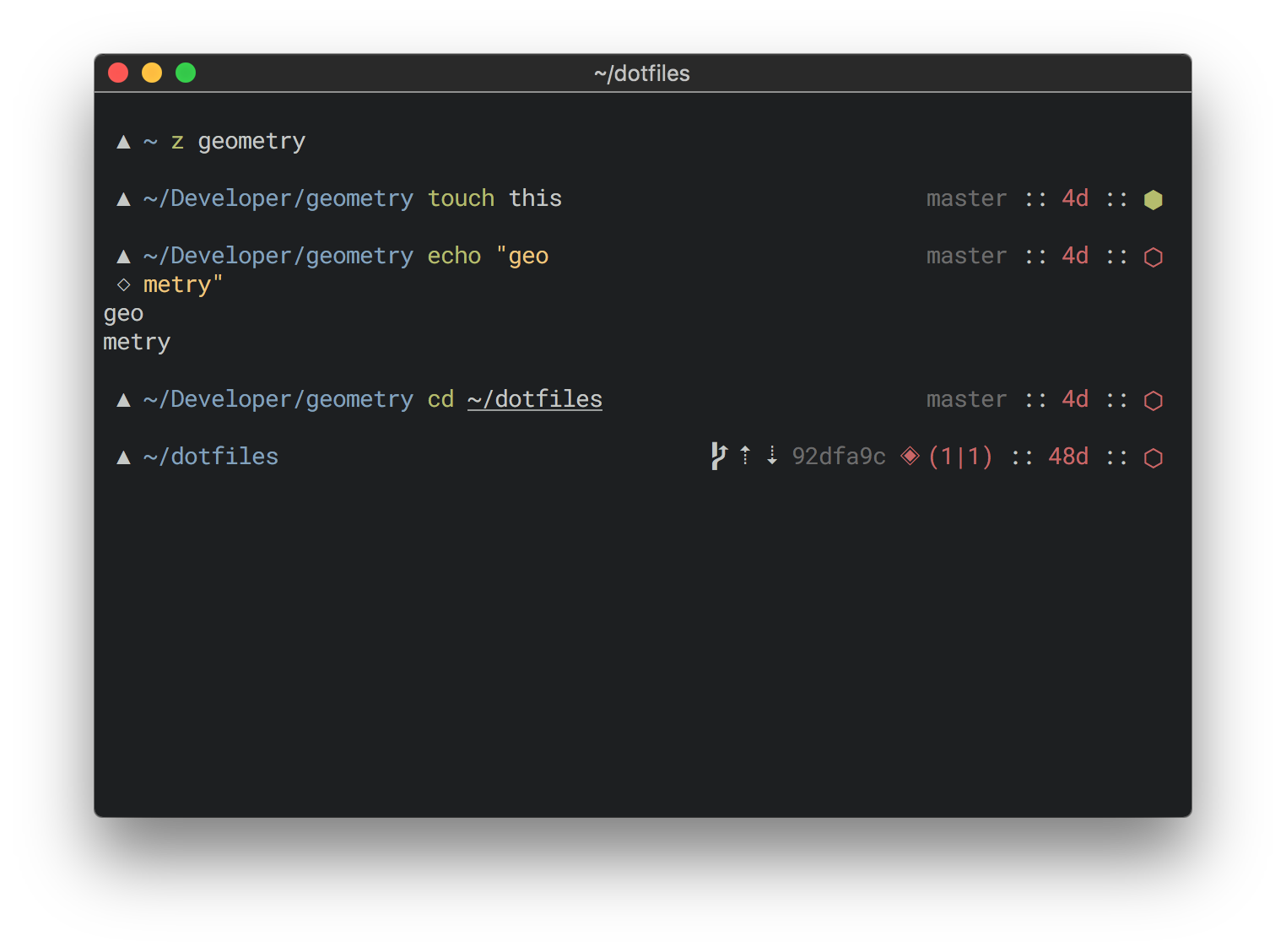
geometry is a minimalistic, fully customizable zsh prompt theme.
See repo for source. We welcome any contributions!
author: @frmendes
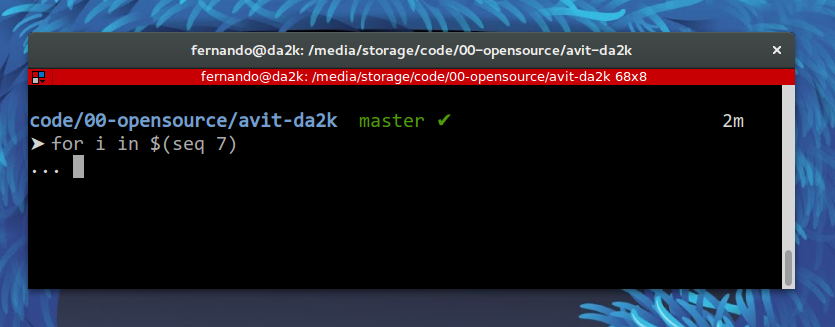
A theme based on Avit, with small changes.
See repo for source.
author: @fdaciuk
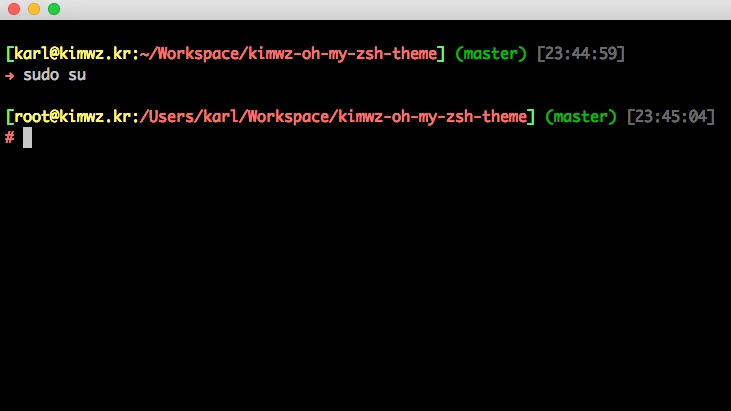
A minimal theme
See repo for source.
author: @kimwz

Simple and clean, visualizing return code.
See gist for source.
author: @hub23
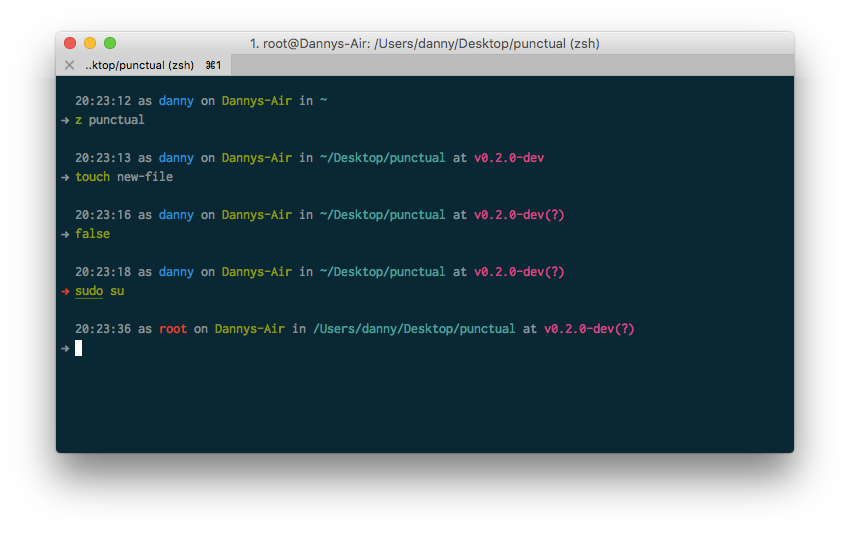
A simple, informative prompt built with Solarized colours in mind.
See repo for installation.
By Danny.

A modified version of the Bureau theme with context-sensitive tags, ssh status, and last exit code coloring.
See repo for source.
Author: @dersam
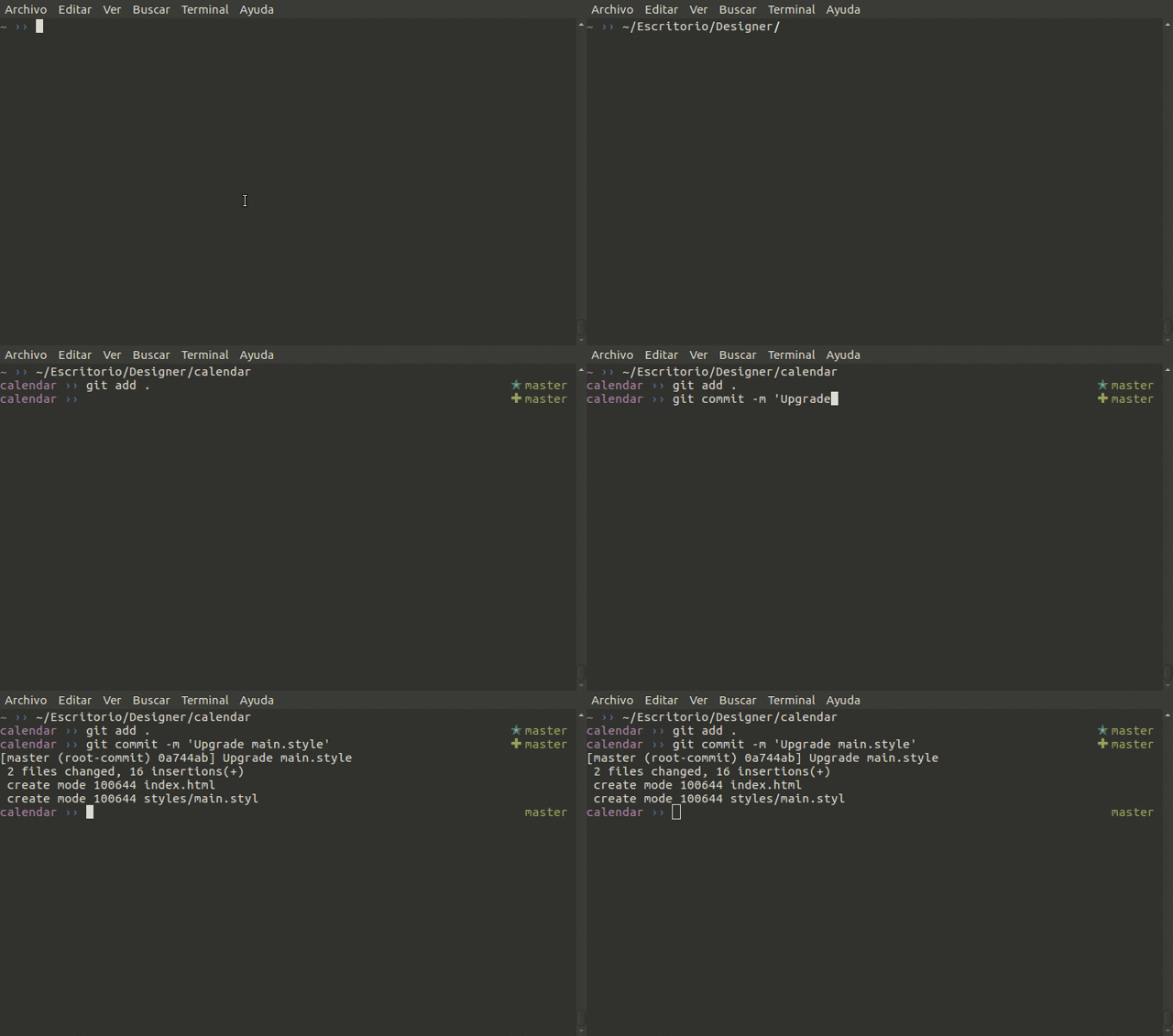
Simple, clean, and beautiful theme inspired in my fovorite themes, functions and colors.
See repo for source.
Author: @jopcode

Single-line boring/traditional prompt without distracting colours, providing extra information (currently git branch/status).
See repo for source. Author: @xfxf

Just another funky theme.
See repo for source. Author: @kaushik94

A zsh friend to watch over you.
See repo for source and instructions. Author: @akabiru
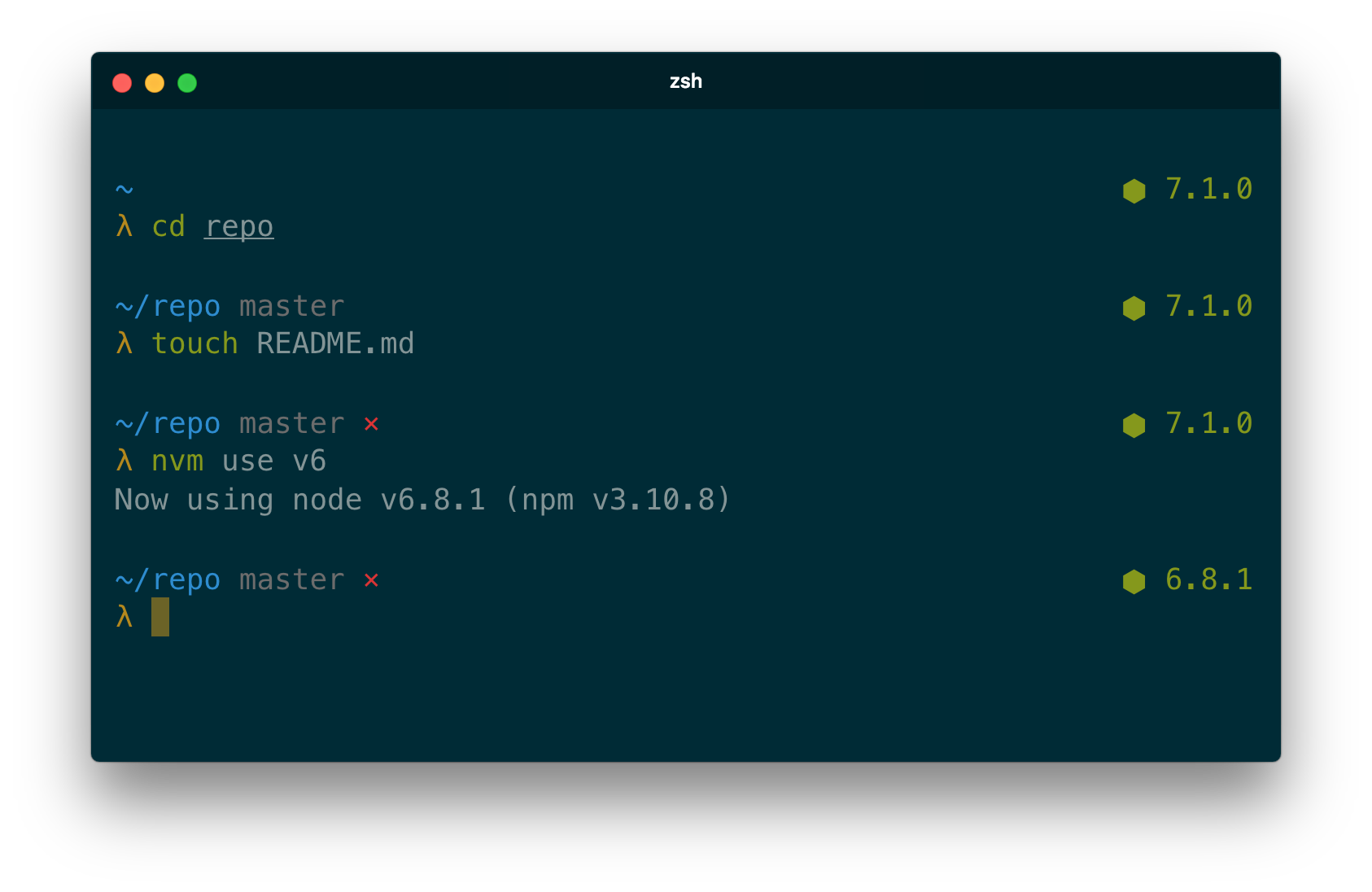
A minimal zsh theme, based on Pure, with added NodeJS version (async!)
source: Repo for source
author: @marszall87
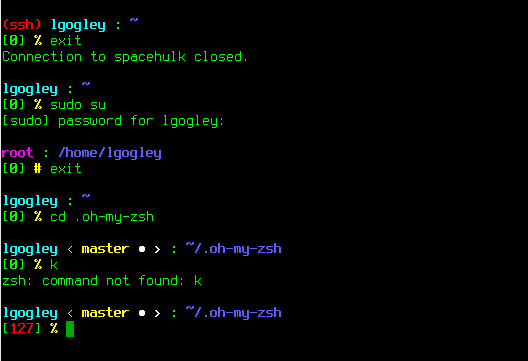
An adaptation of the mortalscumbag theme. Its modification no longer has the hostname next to the username on the prompt and has a better differentiation of colors by highlighting the user, working directory, and shell sign. The theme also keeps the error number within brackets, as well as a running header stating whether the user is under an ssh connection.
source: Repo for source
author: @LinuxGogley

A theme for ZSH that is heavily inspired by the historical theme used on VIA Centrale Réseaux servers. It is designed to be as simple as possible, but still complete enough to be used on production servers and highly configurable to suit any of your desire.
See Repo for source & documentation.
author: @badouralix

Themes:




See Repo for source & documentation.
author: @eendroroy

See Repo for source & documentation.
author: @eendroroy
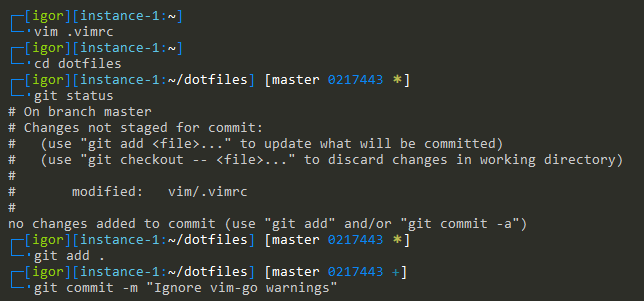
Simple theme based on Zork.
See repo for source and install instructions.
Author: @igormp

A clean, minimal theme.
See repo for source and install instructions.
Author: @igormp
This theme is pretty much based on the 'bureau' theme. It has been extended by a DOCKER_HOST live view,
so that in every terminal session you see immediately which docker host is configured and where the local
docker commands are forwarded to.
If the DOCKER_HOST variable is not set in the terminal session, it's showing a green local text what can b
interpreted as a personal local test environment. If a remote host is defined it will show the address in red.

See repo for source and install instructions.
Author: @dpdornseifer
A theme designed for simplicity, neatness and availability of information. Vero offers:

See repo for source and documentation
Author: @thornjad

See Repo for source & documentation.
author: @eendroroy

See repository for source & documentation.
Author: @w33tmaricich
See repository for source.
ASCII-only ZSH prompt theme (using Oh My Zsh) for git users who are not fan of fancy glyphs.
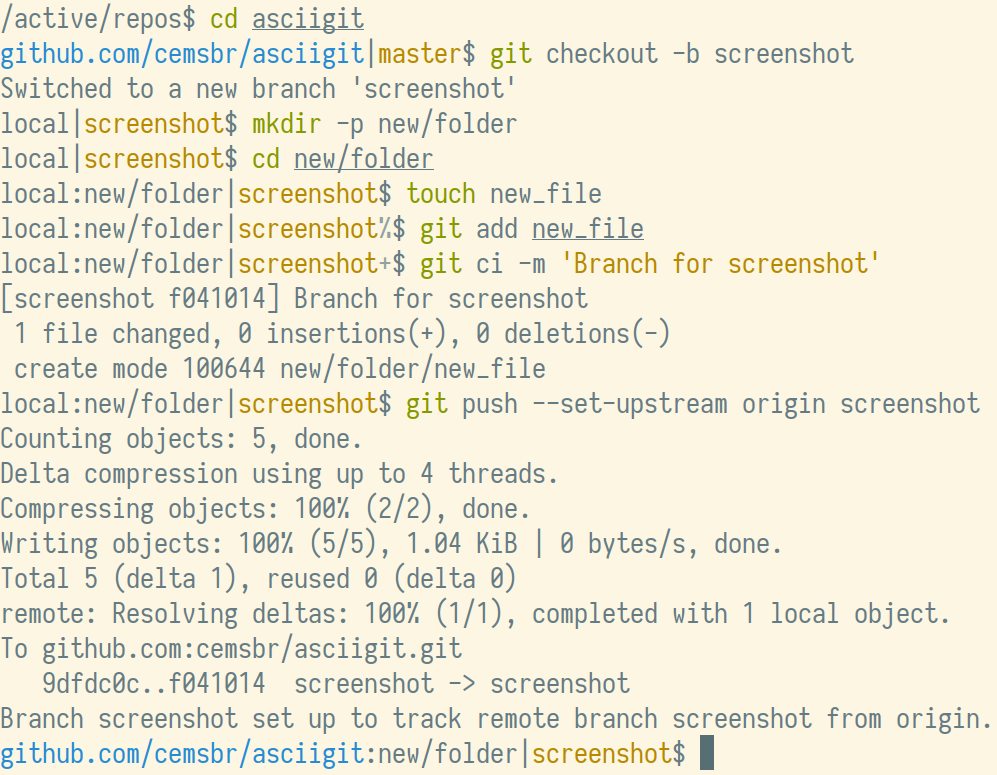
Features:
See repository for source and readme.
Author: @cemsbr
Timestamp and new line based on dpoggi theme.

Features:
See repository for source.
Author: @channprj
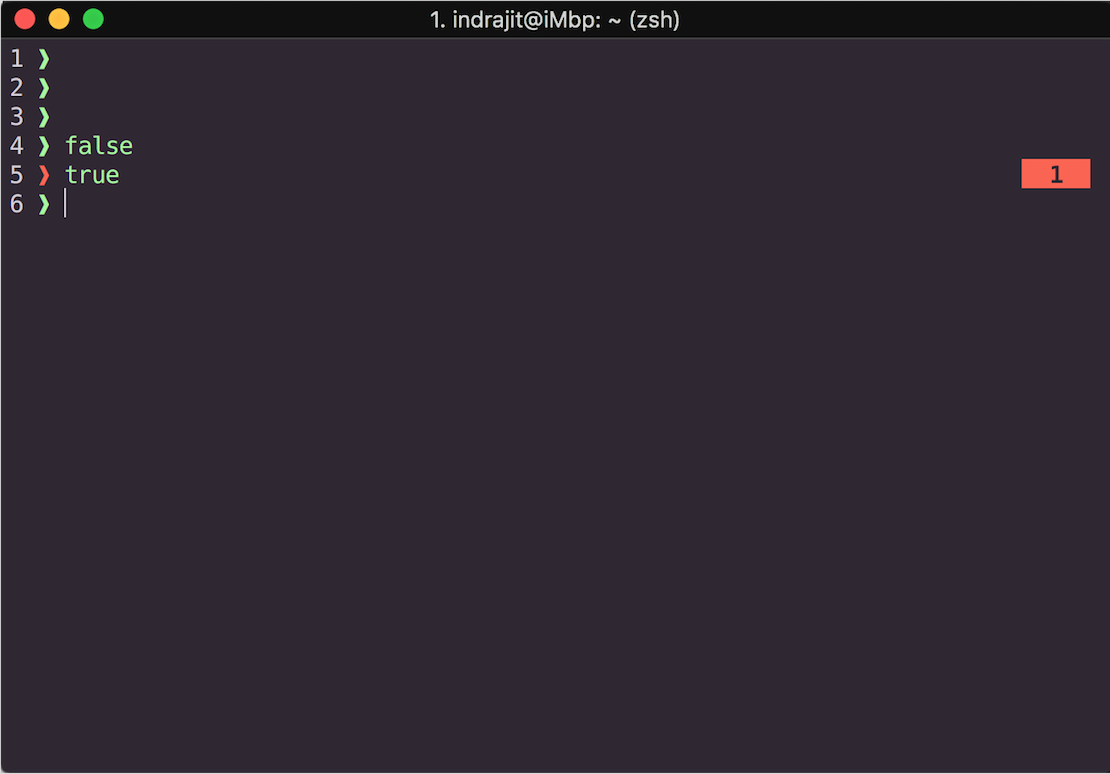
See Repo for source & documentation.
author: @eendroroy
A theme based on fishy with two differences:
$USER@$HOST is not shown for the local machine, only for SSH sessions and
inside docker containers (in that case it is $USER@docker)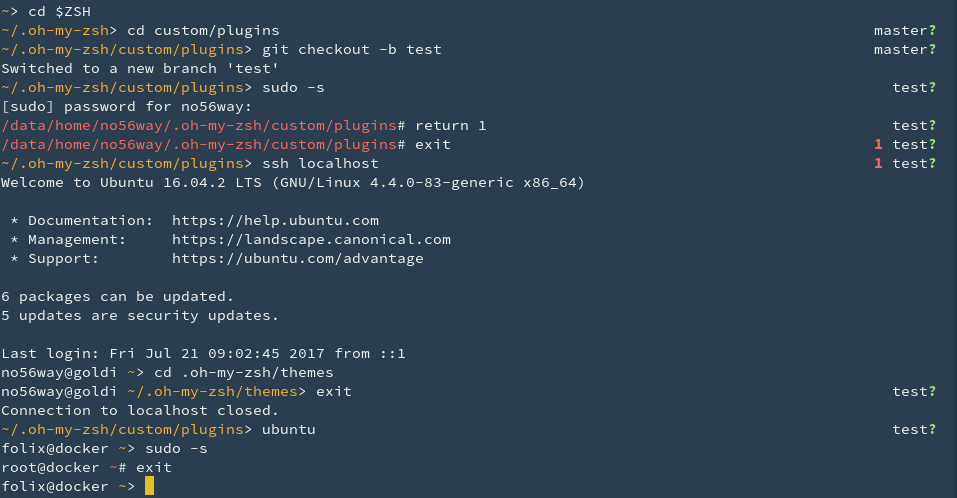
See repo for source
Author: @folixg
Based on the built-in gnzh theme with added current Python virtualenv display.
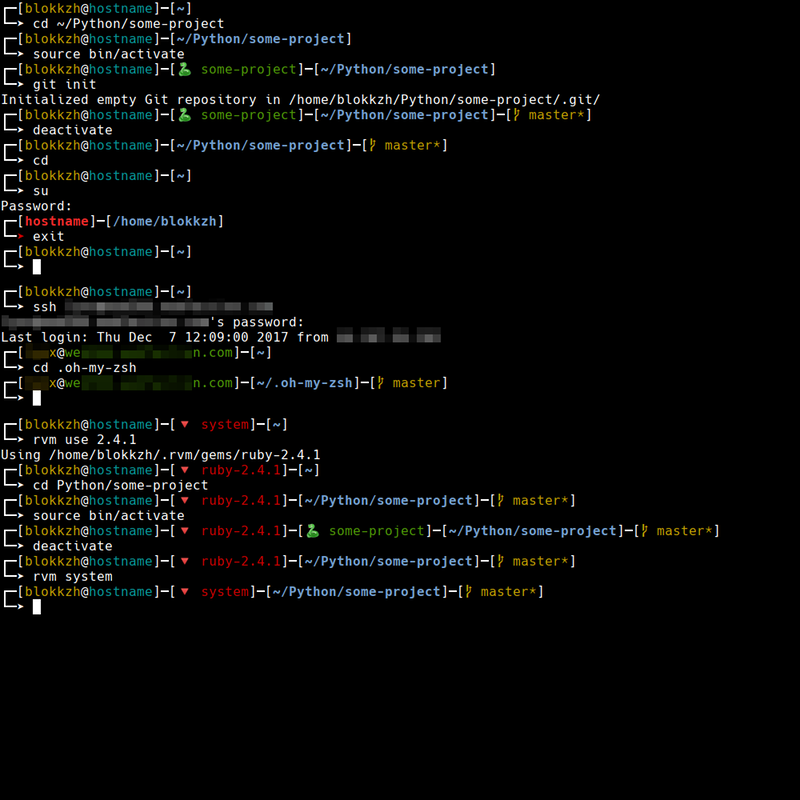
See repo for source.
Author: @KorvinSilver
Fancy two-line prompt with git integration.
Repo: https://github.com/specious/bender
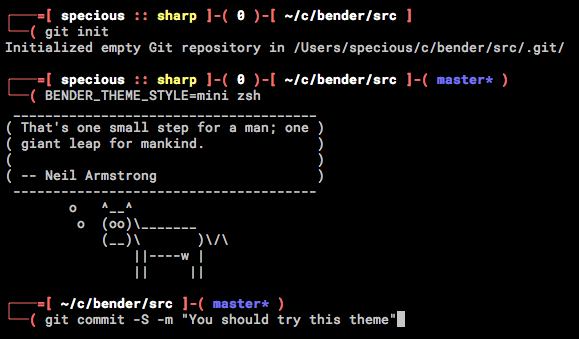
Uses three asynchronous methods to keep the ZSH prompt swift while displaying the Git status and indicators of SSH connection, exit codes, and vi mode, along with an abbreviated, PROMPT_DIRTRIM-style path. Very customizable. Asynchronous even on Cygwin and MSYS2.

Repo: https://github.com/agkozak/agkozak-zsh-prompt
Author: @agkozak

Repo: https://github.com/nivaca/rainbow-theme
Author: @nivaca

Simple, minimalistic theme for Oh My ZSH.
Repo: https://github.com/zeroastro/zeroastro-zsh-theme
Author: @zeroastro
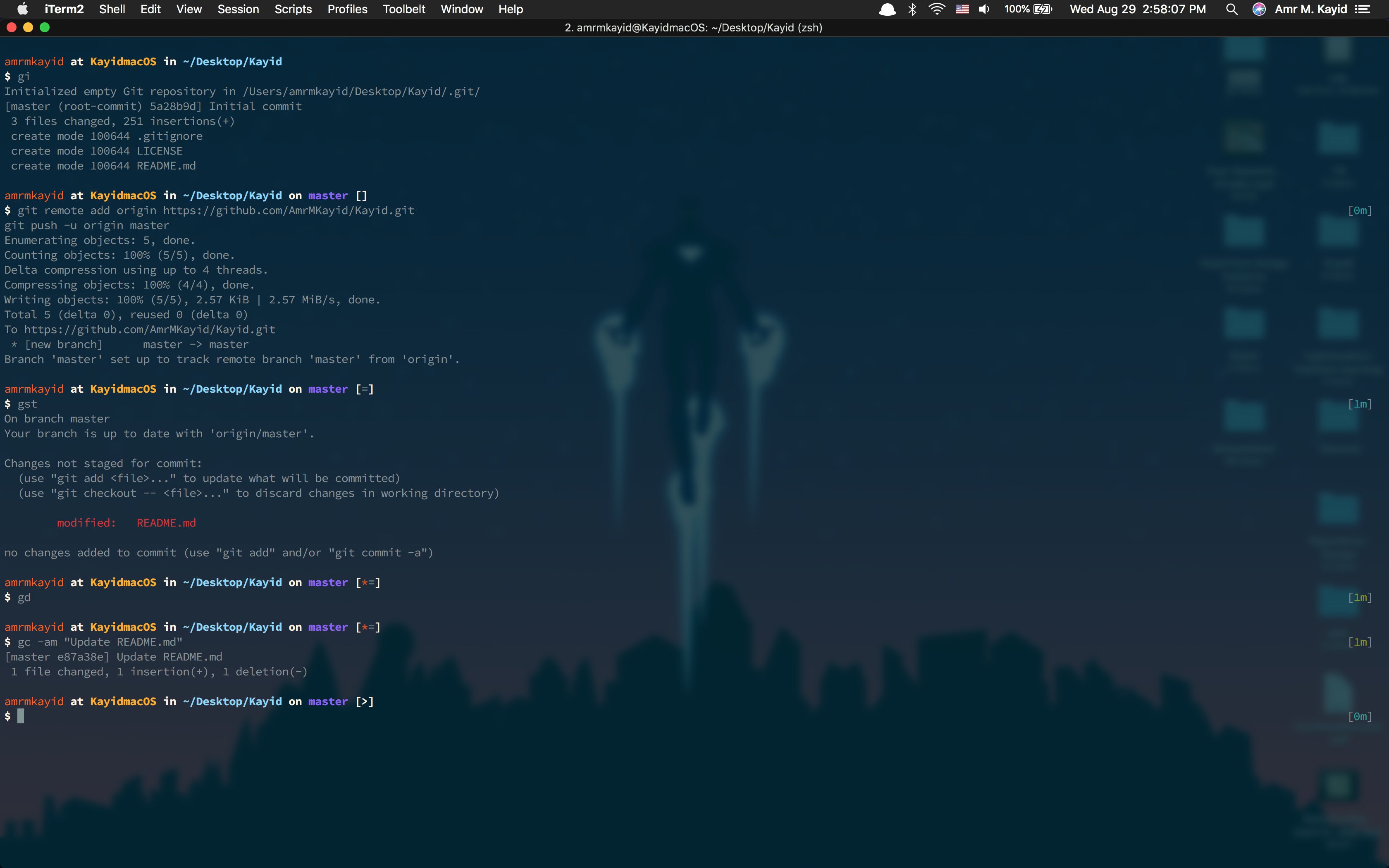
See repo Author: @AmrMKayid
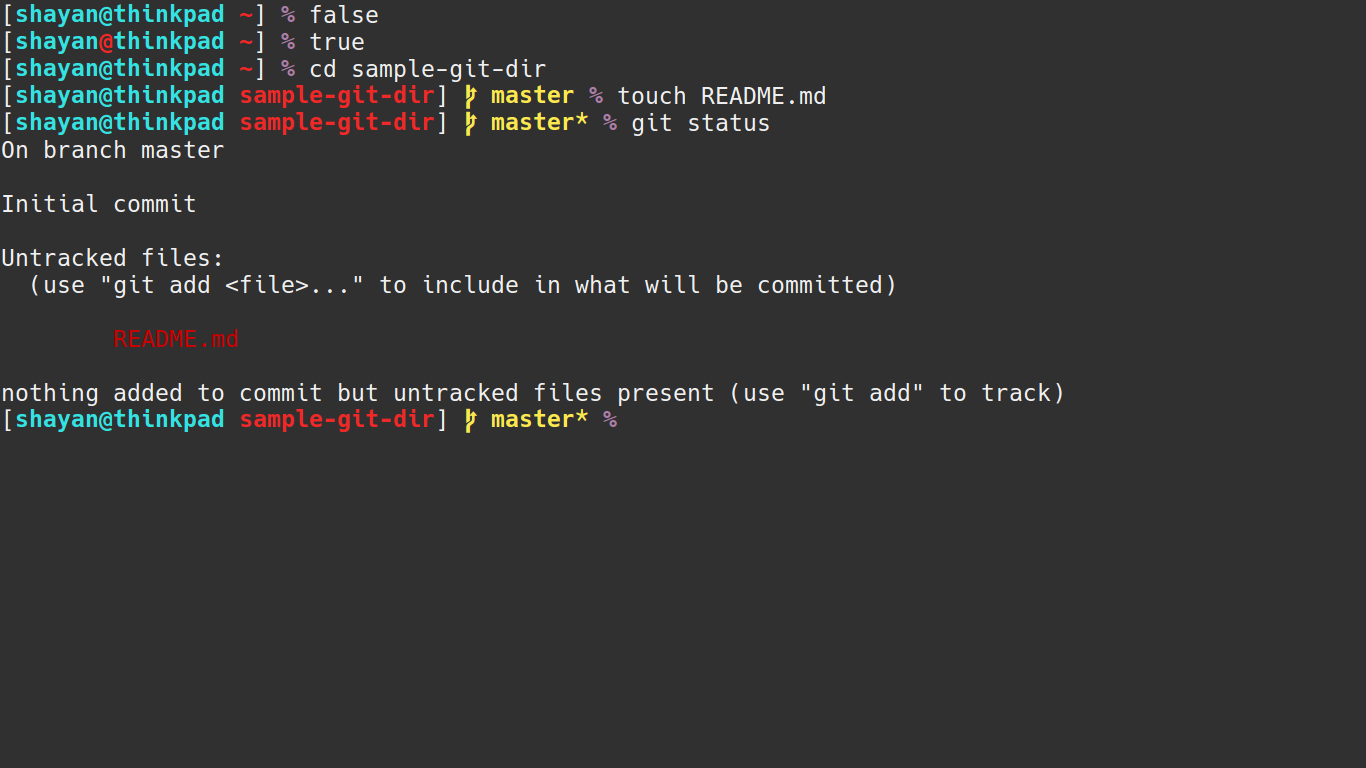
Simple.
Repo: https://github.com/shayanh/shayan-zsh-theme
Author: @shayanh
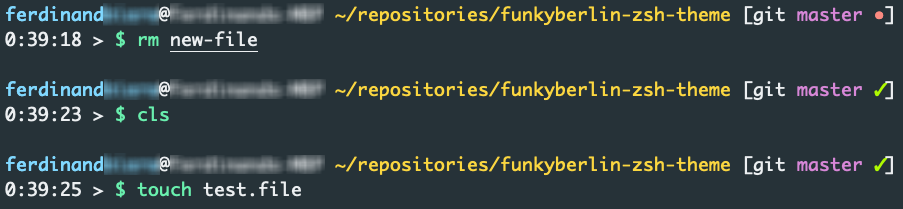
A colorfull two-line theme with support for GIT and SVN.
Repo: https://github.com/Ottootto2010/funkyberlin-zsh-theme
Author: @Ottootto2010
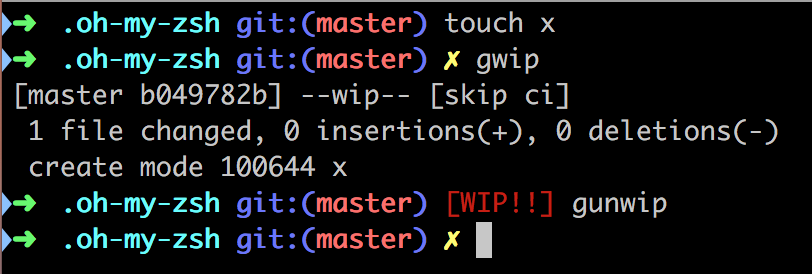
The same RobbyRussell theme that everyone loves, decorated with a WIP!! message when the latest commit of your git repo is a WIP commit.
Repo: https://github.com/ecbrodie/robbyrussell-WIP-theme
Author: @ecbrodie

A minimalist two line theme with Git support and a Lambda (λ) shell.
Repo: https://gist.github.com/ryanpcmcquen/150cf9a66bca2463e5660cafed3e1000
Author: @ryanpcmcquen

⛓ a Simplistic & Minimalist theme for ZSH prompts.
source: Repo for source.
author: @blyndusk

A minimalist two line theme with Git support.
Repo: https://github.com/girishrau/oh-my-zsh-customizations
Author: @girishrau
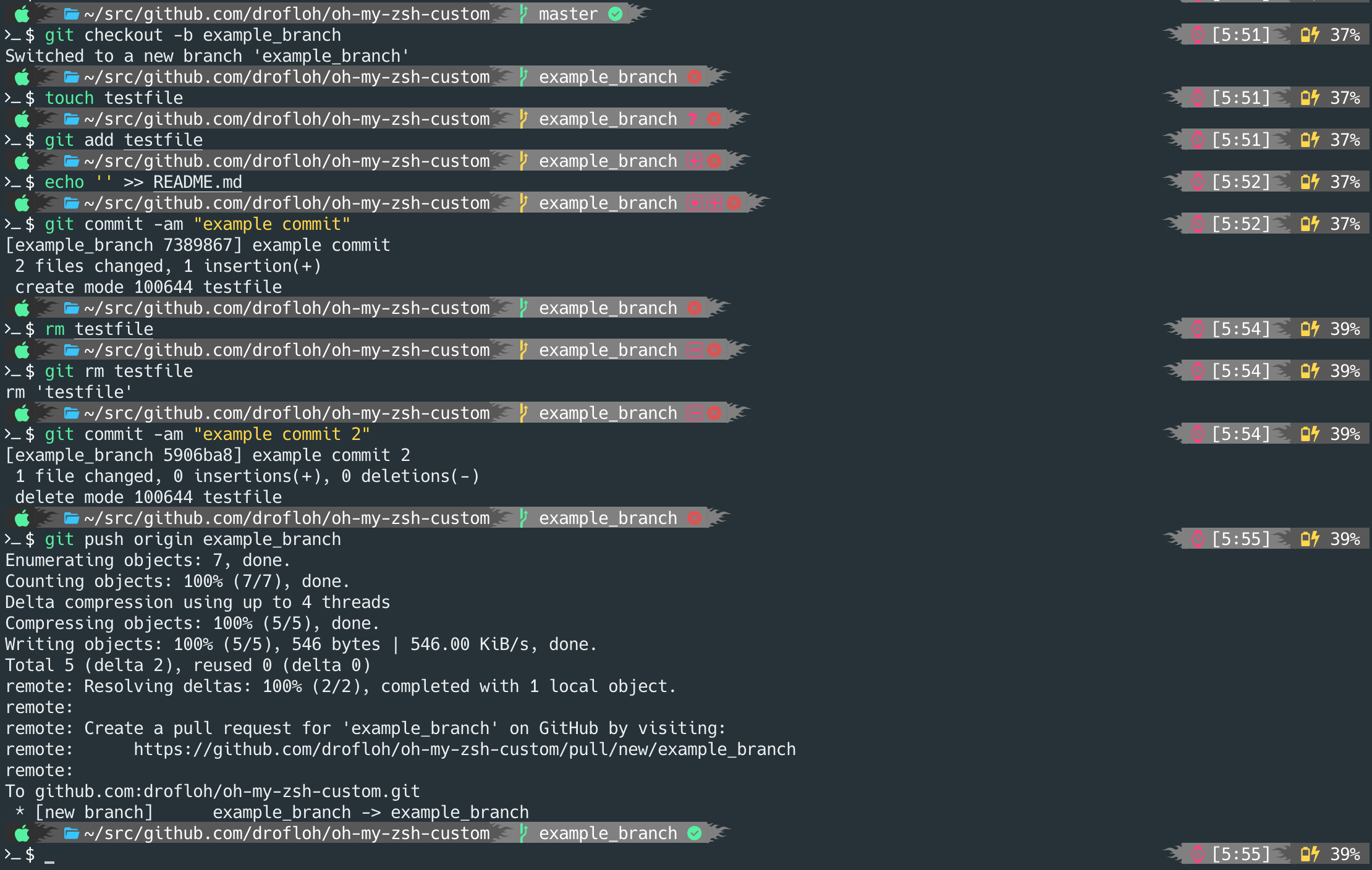
Custom theme...
Source: drofloh.zsh-theme
Author: @drofloh
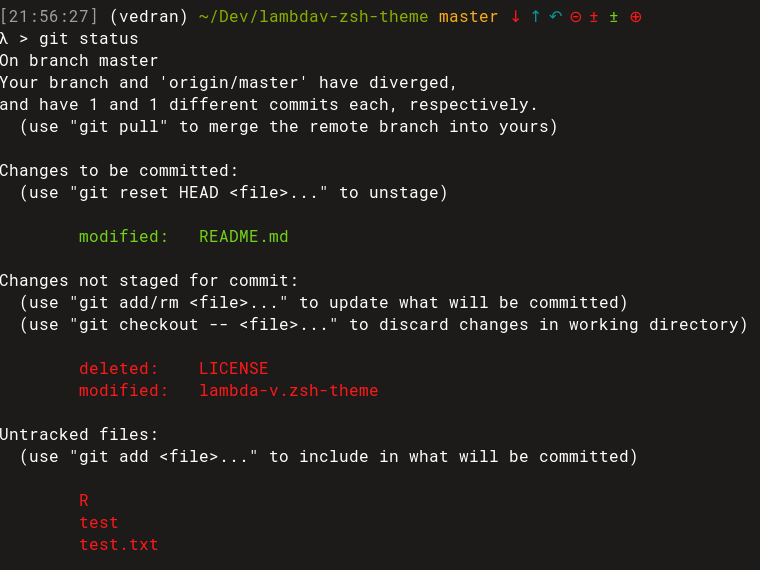
Two-line prompt that includes system clock timestamps, username, current working directory, git branch, git prompt info.
Source: lambda-v.zsh-theme
Author: @vkaracic
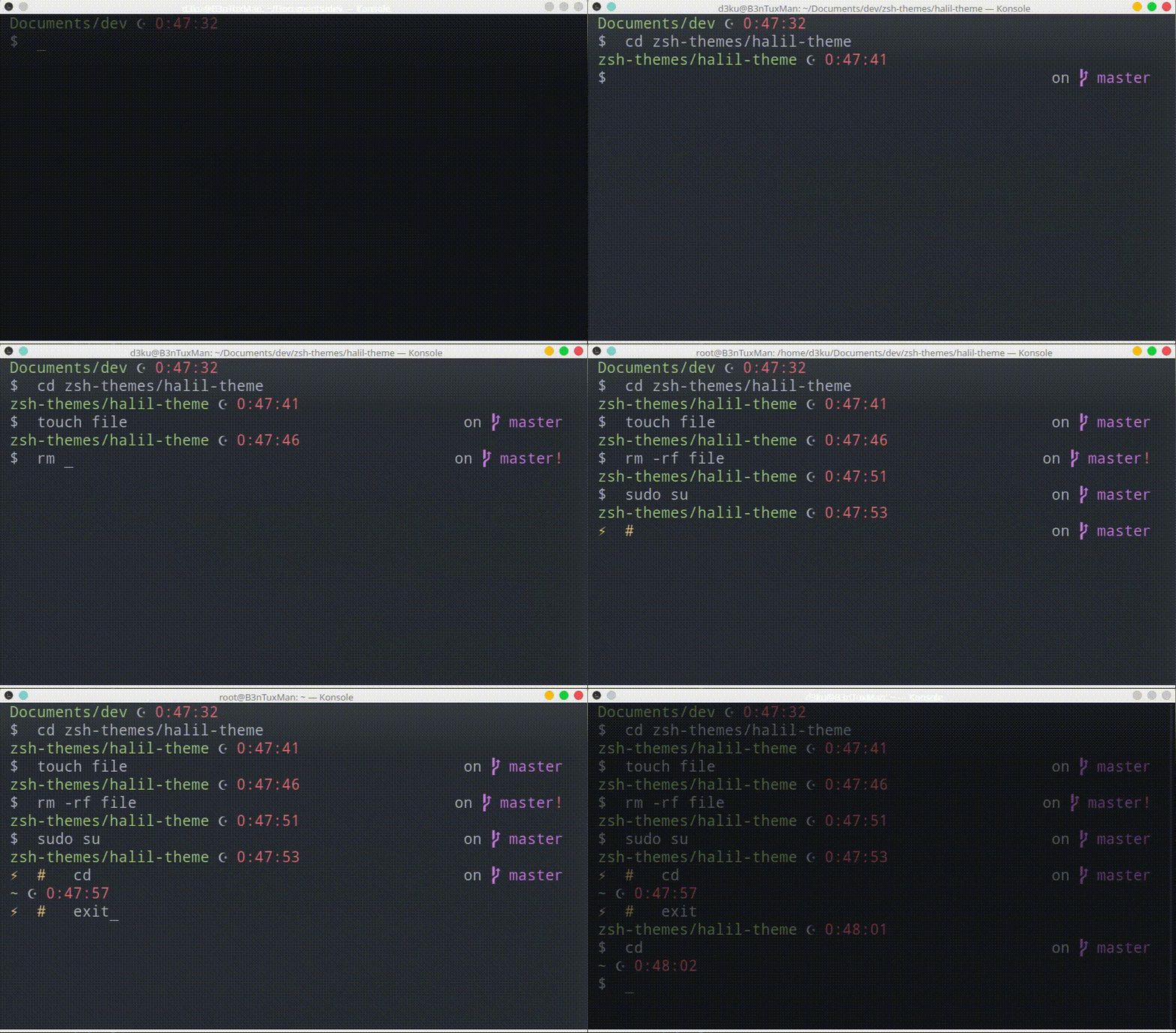
Simple prompt with system clock, current working directory, git prompt info and nice user prompt.
Source: halil.zsh-theme
Author: @5m0k3r
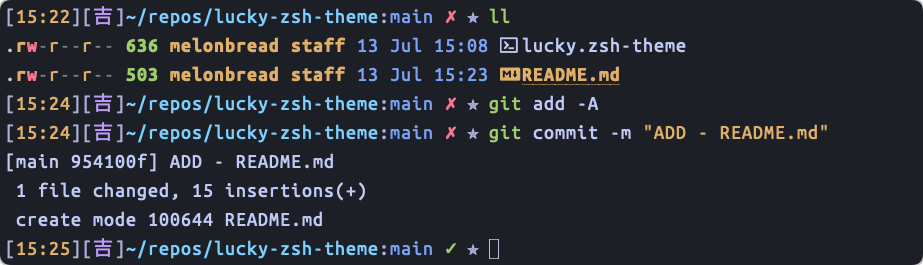
The word 吉 carry meaning of luck, what better place to have this lucky charm on your everyday terminal.
Repo: lucky-zsh-theme
Author: @MelonBreadVR
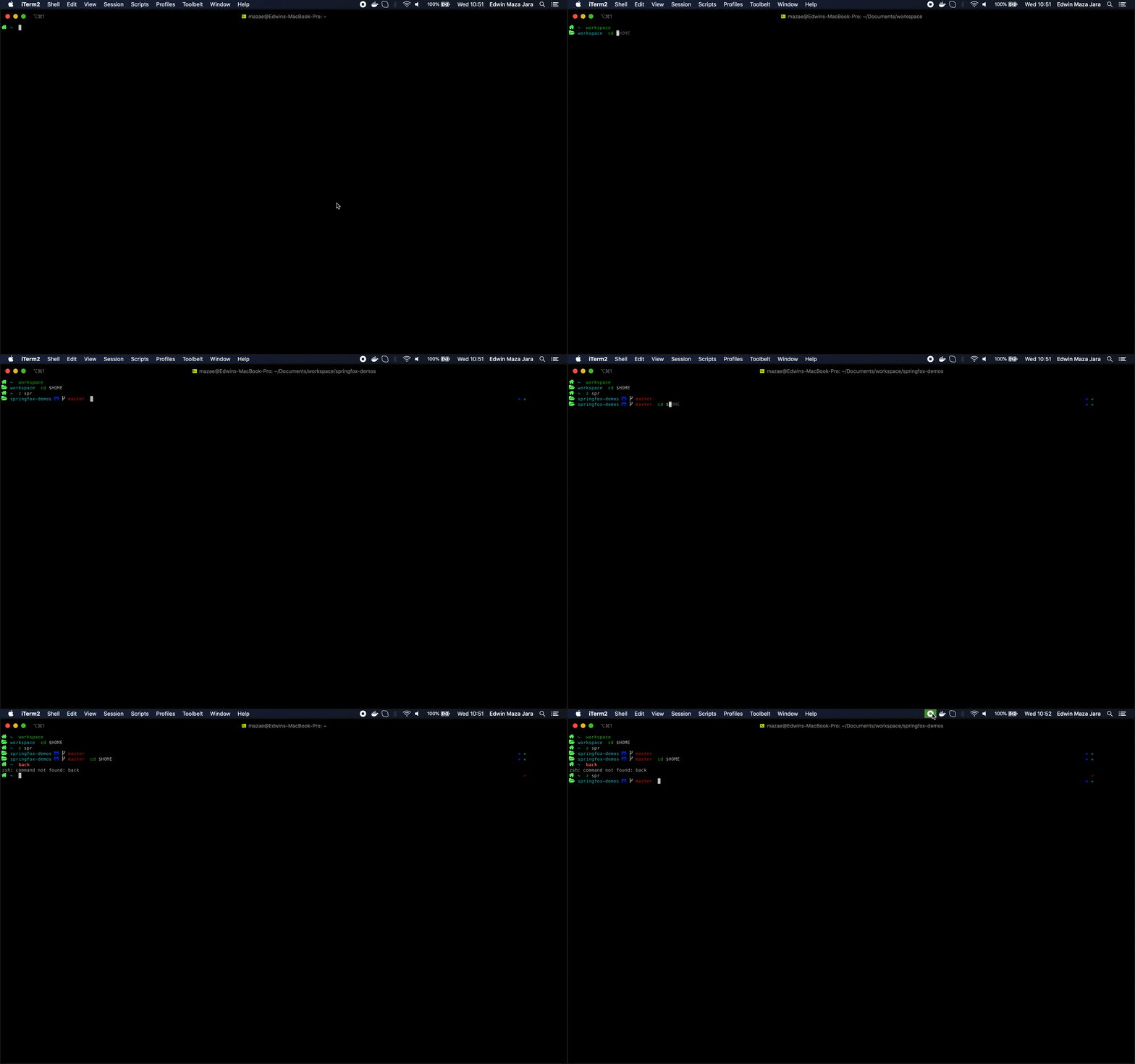
Simple is better
Source: maza.zsh-theme
Author: @eamazaj
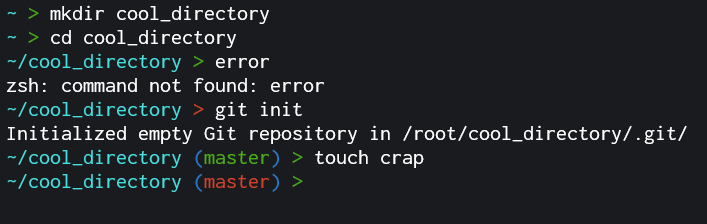
Clean and simple look with return status, git status and full path.
Source: chill.zsh-theme
Author: @PsychoPatate

Simple theme was based on Bira, and influenced by the default Bash PS1 from Solus. The theme returns exit, git, rvm, and venv status as well as the full path.
Source: solus.zsh-theme
Author: @cloudnull

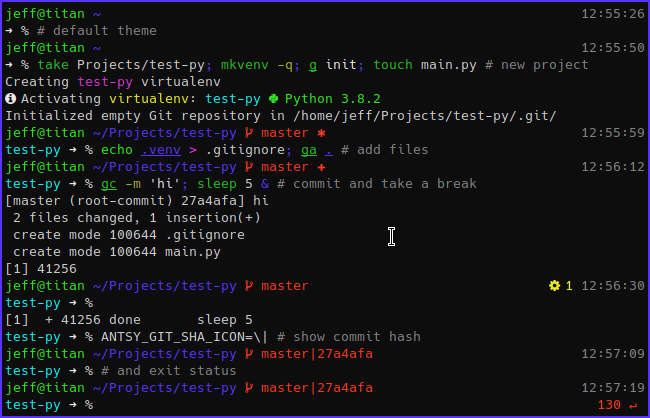
Multiline Oh My Zsh theme with git info, virtualenv, vi-mode indicator, current history, jobs count, and exit status.
Source: antsy.zsh-theme
Author: @jeffmhubbard
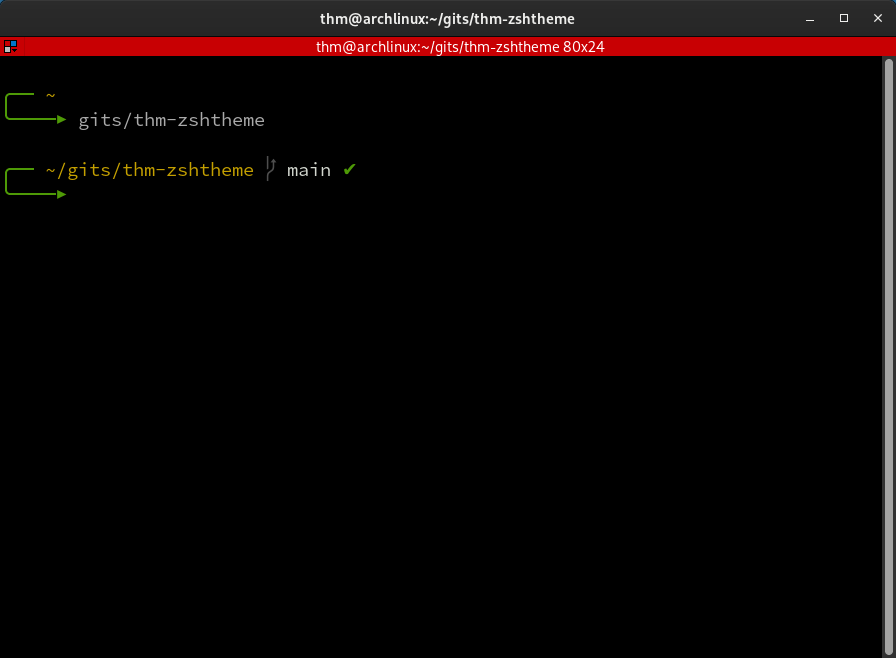
Modified 'The Poncho' theme.
Source: thm.zsh-theme
Author: @thm-unix
Original: @RainyDayMedia

Absolutely no prompt. Useful if you want a super minimal prompt (but still want Oh My Zsh for other plugins), or if you're replacing your prompt (i.e. with Starship)
Source: File none.zsh-theme containing only the line PROMPT="".
Author: @catleeball
 Source: fishbone++
Author: @EYH0602
Source: fishbone++
Author: @EYH0602
Themes:Ohio2's themes repo

a deliciously minimalist light pink theme

repository: bubblegum-zsh
author: @ice-bear-forever
a colorful and informative theme

shows the current time
shows current kubectl context
shows current dir
shows current Git branch
shows an arrow to differentiate input vs prompt
uses different colors for readability
repository: kube-zsh-theme
author: @tigerjz32
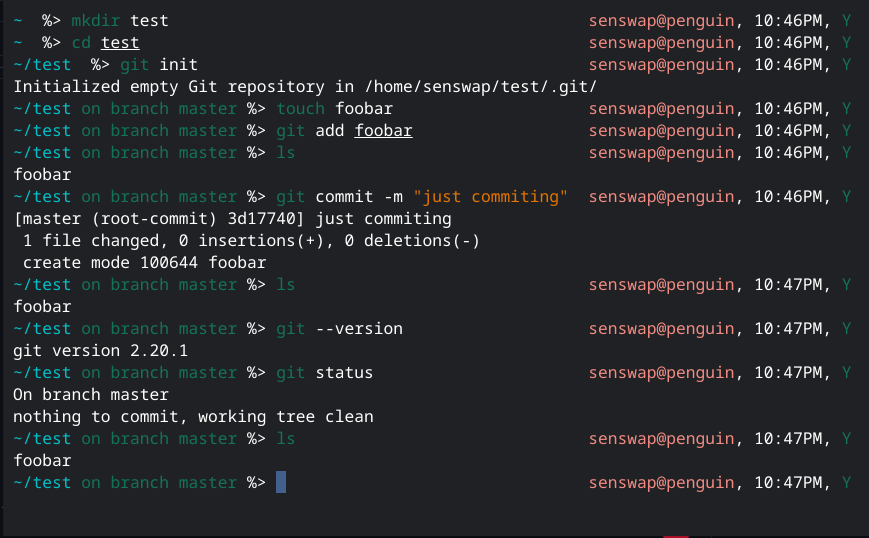
A simple zsh theme. With your average time, exit status, user@host, directory and git branch, you can just install and relax.
See repository for installation.
Author: @bashelled

repository: ivabus-zsh-theme
author: @ivabus

Source code is here
Author: @uysalserkan
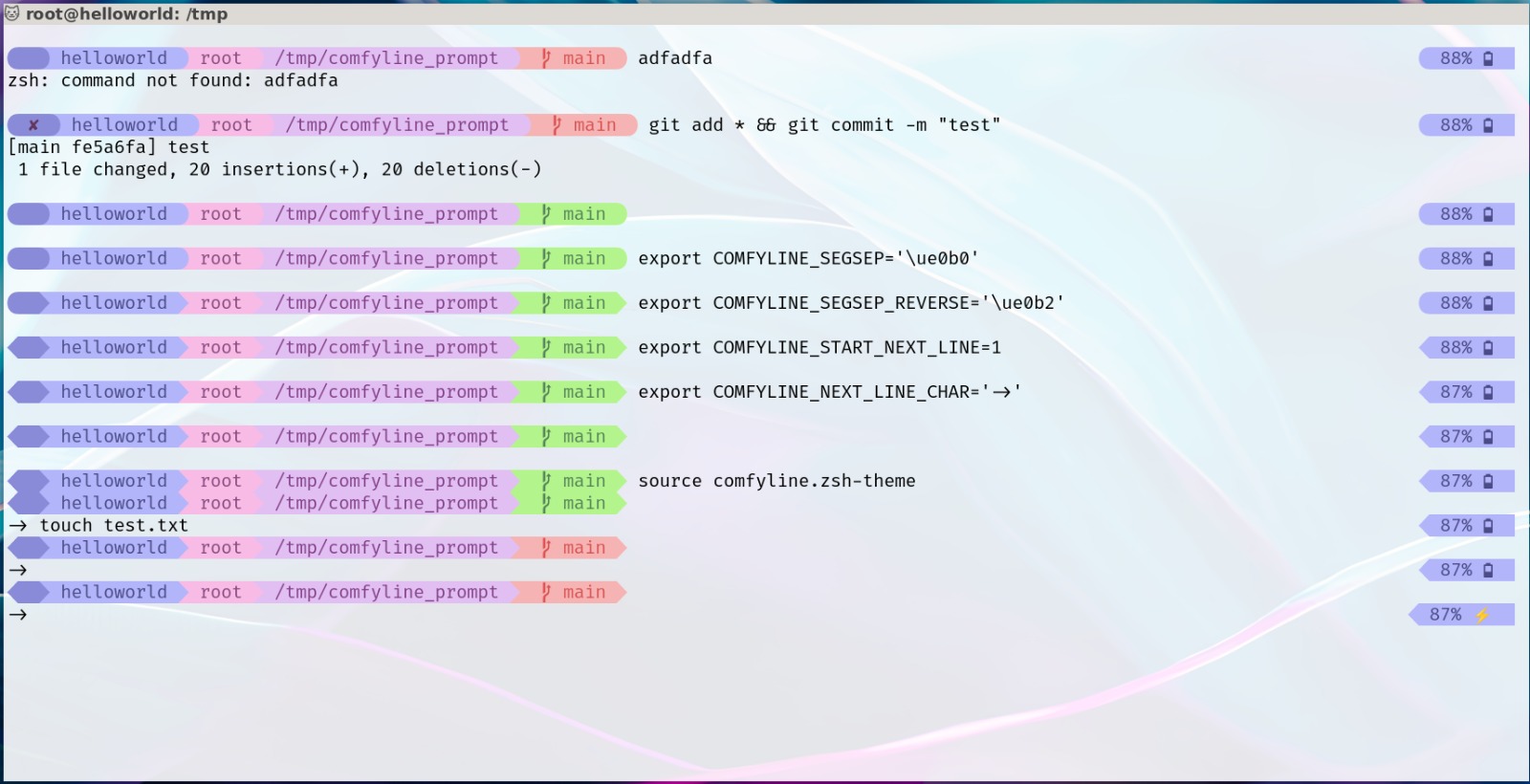
A highly customizable zsh theme for your terminal, which is stupidly easy to configure. Just follow the below documentation and it will guide you through.
source /path/to/comfyline.zsh-theme command, and add it to your zshrcSource Code is my gitlab Author: imnotpua
A customizable, colorful theme for the ZShell prompt
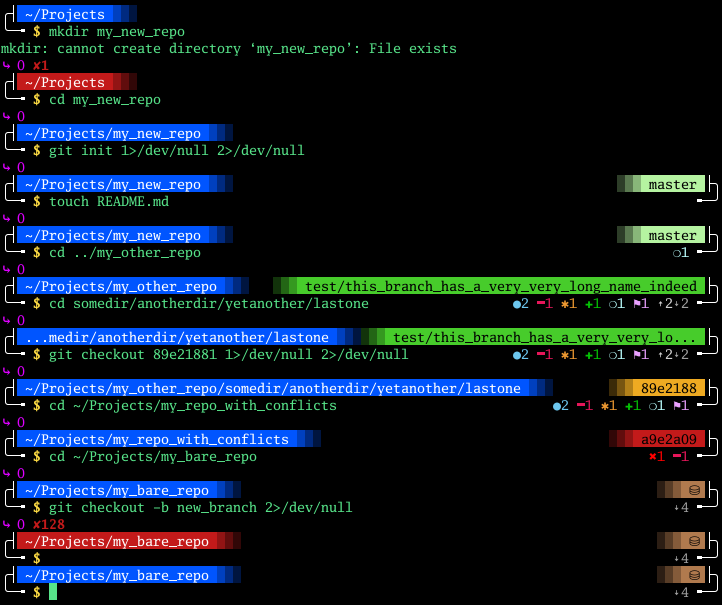
Customization of all the colors and symbols
Built-in logic for gathering git infos, which can be turned off to use OhMyZsh's git-prompt plugin instead
Light git mode can be enabled to reduce performace overhead in git directories (only for built-in logic)
Command execution time can be turned off or displayed only when it exceeds a given threshold
A minimalistic theme.
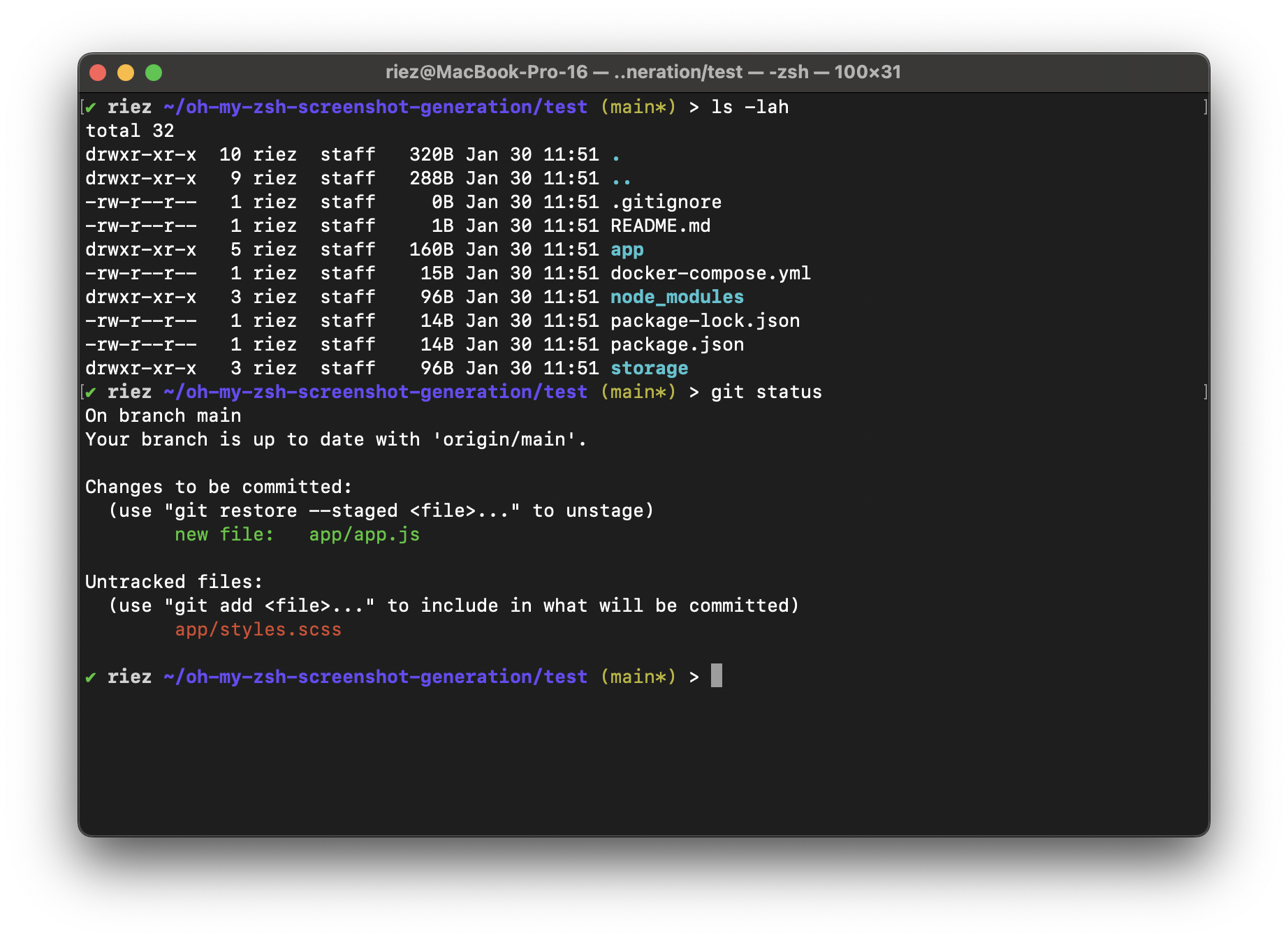
Source: rie-zsh-theme
A Simple, minimalistic theme.
Features
See repository for source code.
Author: @!Zenith
Variation of jispwoso theme
source: kis theme
The Hogwarts theme is a feature-rich Zsh prompt that displays comprehensive system and git information using colors inspired by the four Hogwarts houses. It provides at-a-glance visibility of your current context, git status, and command execution results.
The prompt displays information in the following format:

A Star Trek: The Next Generation LCARS-inspired theme for Oh My Zsh with modern powerline-style segments and authentic color palette.

+ Added/staged files* Modified files- Deleted files? Untracked files→ Renamed files‡ Conflicts/unmerged filesA minimal cyberpunk ZSH prompt for pentesters,cyber-experts and CTF players.

Features:
Install:
git clone https://github.com/MrEchoFi/trios-zsh-theme.git \
  ~/.oh-my-zsh/custom/themes/trios && \
  cp ~/.oh-my-zsh/custom/themes/trios/trios.zsh-theme \
  ~/.oh-my-zsh/custom/themes/
Then set ZSH_THEME="trios" in ~/.zshrc